Skip to content
Nodomo for hotels

Open on the date
you announced

Construction hands over, and 180 days later you open. Nodomo runs that gap as one flow, so the GM sees which department is holding the date.

14 days free Vendors join by link. No login needed.

Hotel pre-openingInteractive workflow
TRIGGER

Pre-opening triggered

Construction handover received, pre-opening begins

APPROVAL

GM Appointment sign-off

1d1 levelOwner
TASK

Chief Engineer & core HOD onboarding

30d
TASK

Engineering commissioning witness

30d
TASK

Govt official intros & F&LS testing

30d
TASK

HR onboarding plan review

30d
TASK

Statutory license filing

30d
TASK

Systems commissioning

30d
TASK

IT infrastructure go-live

30d
TASK

Employee accommodation & welfare start

30d
TASK

Commercial & compliance push

7d
TASK

Sales pipeline & SynXis prep

30d
TASK

HOD onboarding wave 2

30d
TASK

SOPs finalization & 1st mock FLS audit

30d
TASK

F&B menu & kitchen OSE finalization

30d
TASK

Fire safety & driver training drills

30d
TASK

Asset tagging & insurance linking

30d
TASK

Sales collateral & catering commissioning

30d
APPROVAL

License handover sign-off

5d1 levelLegal
REWORK

Rework

Declined — loops back to the licence owner

TASK

Food trials and photography

10d
TASK

IT / SOPs / spa / gym training & commissioning

10d
TASK

FOSTAC training & liquor stock in

10d
TASK

Final ops snags & projects stop-work

10d
APPROVAL

Kitchen Commissioning + Camera Ready sign-off

1d1 levelChief Engineer
REWORK

Rework

Declined — loops back to Engineering

TASK

Dry runs, inventory sign-off & key control go-live

9d
APPROVAL

24-hour Operation Simulation sign-off to begin

1d1 levelGM
TASK

Final team readiness

6d
TASK

Team building exercises

8d
TASK

Hotel Opens for Business

TASK

FLS audit by TS, Engineering & Security

60d
APPROVAL

Final handover sign-off to Regional Operations Team

1h1 levelRegional Ops
TASK

HOD identification & interviews

30d
TASK

Budgets, HOA & GM shortlist handed to Ops team

20d
REWORK

Rework

Declined — loops back to HR

TASK

Product classification & F&B understanding

30d

Drag to explore · Use buttons to zoom · Click a step to focus

From construction handover to opening dayOne owner for every next step
From the Amply team. Trusted by multi-location brands.
Keep opening day in sight

Small delays.
Big opening-day impact.

Licences, hiring, procurement and commissioning run in parallel after construction hands over. Give the GM a clear view of the department and decision holding the date.

Licences surface late

The certificate is with the authority. The sheet has said "in progress" for three weeks.

Budget approvals stall

OS&E, IT and HR budgets go up as attachments. One approver holds every PO behind them.

Departments wait on each other

Kitchen commissioning waits on gas. The contractor is in no system. Everyone finds out on the weekly call.

Hotels use cases

Every department.
One opening date.

Start from a template for the work between construction and opening day, or build a flow for anything else: renovations, licence renewals, spa and F&B launches.

Backward-scheduled from the opening date, so the GM sees D-30 and D-7 across budget, licences, hiring and the 24-hour simulation.

Budget approvals gate the spend: POs open only once finance signs off, and every FF&E and OS&E delivery carries a date and an owner.

Contractors upload FLS, gas, water and kitchen test reports from a link, so engineering sees which systems are camera ready.

Reminders chase the late steps: GM onboarding, HOD offers, mass hiring days and training, all due before the simulation.

Each brand standard closes with a photo, from the mock-up room to signage, uniforms, the PMS switch and the final brand inspection.

Hotel Pre-Opening · Day 120 of 180Run live
TRIGGER

Pre-opening triggered

Construction handover received, pre-opening begins

APPROVAL

GM Appointment sign-off

1d1 levelOwner
TASK

Chief Engineer & core HOD onboarding

30d
TASK

Engineering commissioning witness

30d
TASK

Govt official intros & F&LS testing

30d
TASK

HR onboarding plan review

30d
TASK

Statutory license filing

30d
TASK

Systems commissioning

30d
TASK

IT infrastructure go-live

30d
TASK

Employee accommodation & welfare start

30d
TASK

Commercial & compliance push

7d
TASK

Sales pipeline & SynXis prep

30d
TASK

HOD onboarding wave 2

30d
TASK

SOPs finalization & 1st mock FLS audit

30d
TASK

F&B menu & kitchen OSE finalization

30d
TASK

Fire safety & driver training drills

30d
TASK

Asset tagging & insurance linking

30d
TASK

Sales collateral & catering commissioning

30d
APPROVAL

License handover sign-off

5d1 levelLegal
REWORK

Rework

Declined — loops back to the licence owner

TASK

Food trials and photography

10d
TASK

IT / SOPs / spa / gym training & commissioning

10d
TASK

FOSTAC training & liquor stock in

10d
TASK

Final ops snags & projects stop-work

10d
APPROVAL

Kitchen Commissioning + Camera Ready sign-off

1d1 levelChief Engineer
REWORK

Rework

Declined — loops back to Engineering

TASK

Dry runs, inventory sign-off & key control go-live

9d
APPROVAL

24-hour Operation Simulation sign-off to begin

1d1 levelGM
TASK

Final team readiness

6d
TASK

Team building exercises

8d
TASK

Hotel Opens for Business

TASK

FLS audit by TS, Engineering & Security

60d
APPROVAL

Final handover sign-off to Regional Operations Team

1h1 levelRegional Ops
TASK

HOD identification & interviews

30d
TASK

Budgets, HOA & GM shortlist handed to Ops team

20d
REWORK

Rework

Declined — loops back to HR

TASK

Product classification & F&B understanding

30d

Drag · Zoom buttons · Click a step

FF&E and OS&E ProcurementRun live
TRIGGER

Budget line approved

Finance approves FF&E/OS&E spend

TASK

Validate scope, budget, cost centres, and funding availability

2dFinance
TASK

Confirm room, back-of-house, and operating requirements

3dProjects / Operations
TASK

Complete specifications, quantities, and brand compliance check

4dDesign
APPROVAL

Samples and mock-up room signed off against brand standards — Design; brand representative joins via link

2d1 levelDesign
REWORK

Rework

Declined — loops back to Design

TASK

Confirm procurement readiness and sourcing strategy

2dProcurement
TASK

Obtain supplier quotes, lead times, and delivery capacity — Procurement; suppliers join via link

5d
APPROVAL

Approve commercial comparison and supplier recommendation — Finance

2d1 levelFinance
REWORK

Rework

Declined — loops back to Procurement

TASK

Raise purchase orders and confirm delivery slots with suppliers — Procurement; retain PO and delivery confirmations

3d
APPROVAL

Verify PO, delivery, budget, and supplier confirmations — Finance

2d1 levelFinance
REWORK

Rework

Declined — loops back to Procurement

TASK

Receive FF&E and inspect against PO and delivery documents — Materials; attach delivery confirmation

5d
TASK

Resolve FF&E receiving discrepancies and escalate supplier claims

3dMaterials
TASK

OS&E par stock received and checked into F&B

3dF&B
TASK

OS&E par stock received and checked into Housekeeping

3dHousekeeping
TASK

Consolidate OS&E discrepancies and coordinate replacements

3dMaterials
TASK

Reconcile PO, delivery confirmations, receipts, and inventory records — Materials; retain inventory count evidence

3d
APPROVAL

Approve department handover readiness — Materials

2d1 levelMaterials
TASK

Count inventory and hand over to each department — Materials; department sign-off and permanent inventory counts

3d
TASK

FF&E and OS&E received, counted and handed over

1dMaterials

Drag · Zoom buttons · Click a step

FLS & Kitchen CommissioningRun live
TRIGGER

Systems ready for testing

Contractor confirms readiness

TASK

FLS and gas/water systems testing

14d
TASK

Kitchen equipment and hood systems testing

7d
APPROVAL

Chief Engineer system-by-system commissioning sign-off

2d1 levelChief Engineer
TASK

Kitchens camera-ready for 24-hour simulation

2d
REWORK

Rework

Declined — loops back to the failed system

TASK

All FLS and kitchen systems commissioned

1dEngineering

Drag · Zoom buttons · Click a step

Pre-Opening Hiring · 180 staffRun live
TRIGGER

Org chart and manning guide submitted

GM and Corporate HR submit the staffing plan

APPROVAL

GM + Corporate HR Joint Approval

2 levelsGM + Corporate HR
TASK

HOD offers released for all departments

7dHR
TASK

Front office hiring day and offers

HR + Front Office HOD
TASK

Housekeeping hiring day and offers

HR + Housekeeping HOD
TASK

F&B hiring day and offers

HR + F&B HOD
TASK

New hires onboarded, uniformed and trained

HR
TASK

Department training completed

HR + Department HOD
TASK

Staffing and readiness verified

GM + HR
APPROVAL

Pre-Opening People Readiness Approval

2 levelsGM
TASK

Permanent employee records created

HR
TASK

Hiring completion confirmed and handed over

HR + GM
TASK

Pre-opening hiring complete

HR

Drag · Zoom buttons · Click a step

Hotel Rebrand · ConversionRun live
TRIGGER

Brand improvement plan (PIP) received

Owner receives the plan from the brand

TASK

Establish governance, RACI, kickoff and master plan

5d
TASK

Review entity, title, lease, contracts and management agreement

7d
TASK

Complete commercial, technical, operational and compliance due diligence

10d
TASK

Complete brand standards audit and conversion gap assessment

7d
TASK

Map stakeholders and prepare takeover communications plan

5d
TASK

Build transition budget, cash plan and contingency reserve

7d
APPROVAL

Approve takeover budget and conversion date

2d1 levelOwner
REWORK

Rework

Declined — loops back to the transition budget

TASK

Execute entity, management, franchise and key contract transition plan

10d
TASK

Transition licenses, permits, insurance, tax registrations and banking

10d
TASK

Onboard suppliers and transition procurement controls

10d
TASK

Design PMS, POS, CRM, booking engine, channel manager, OTA and payments cutover

14d
TASK

Migrate data and complete privacy, security and access review

10d
TASK

Update website, domain, email, social, maps and directory listings

10d
TASK

Finalize signage, uniforms, collateral and guest-facing standards

14d
TASK

Scope and procure FF&E, OS&E, room supplies and opening inventory

14d
TASK

Update SOPs, policies, controls and emergency procedures

10d
TASK

Confirm organization, staffing, HR files, payroll and roster plan

14d
TASK

Transition sales, revenue management, loyalty and corporate accounts

10d
TASK

Communicate takeover and migrate reservations and guest commitments

10d
TASK

Deliver brand, systems, safety, service and role-based training

14d
TASK

Prepare mock-up room and pilot operational areas

10d
TASK

Create phased property-wide implementation schedule

5d
APPROVAL

Approve mock-up room and pilot against brand standards

2d1 levelBrand rep
REWORK

Rework

Declined — loops back to the mock-up room

TASK

Implement guestroom brand standards by approved phase

21d
TASK

Implement lobby, F&B, meeting and public-area standards

21d
TASK

Receive, verify and stage opening inventory and supplies

14d
TASK

Run engineering, life-safety, kitchen, utilities and security commissioning

14d
TASK

Execute systems configuration, cutover rehearsal and end-to-end testing

10d
APPROVAL

Operational-readiness go / no-go decision

2d1 levelOwner + Operator
REWORK

Rework

Declined — loops back to commissioning

TASK

Execute final cutover, reservation freeze and contingency plan

2d
APPROVAL

Final brand inspection and acceptance

2d1 levelBrand rep
REWORK

Rework

Declined — loops back to the final cutover

TASK

Launch-day command center and controlled opening

1d
TASK

Run 30-day hypercare, issue log and daily stabilization reviews

30d
TASK

Review post-conversion KPIs and corrective action plan

30d
APPROVAL

Approve formal closeout and permanent conversion archive

2d1 levelOwner
TASK

Hotel stabilized under new brand / ownership — workflow complete

1d
REWORK

Rework

Declined — loops back to closeout

Drag · Zoom buttons · Click a step

Built for hotel & hospitality teams

Every team.
The same next step.

Turn a scattered checklist into a connected workflow, from the first approval to the final handover.

From the field
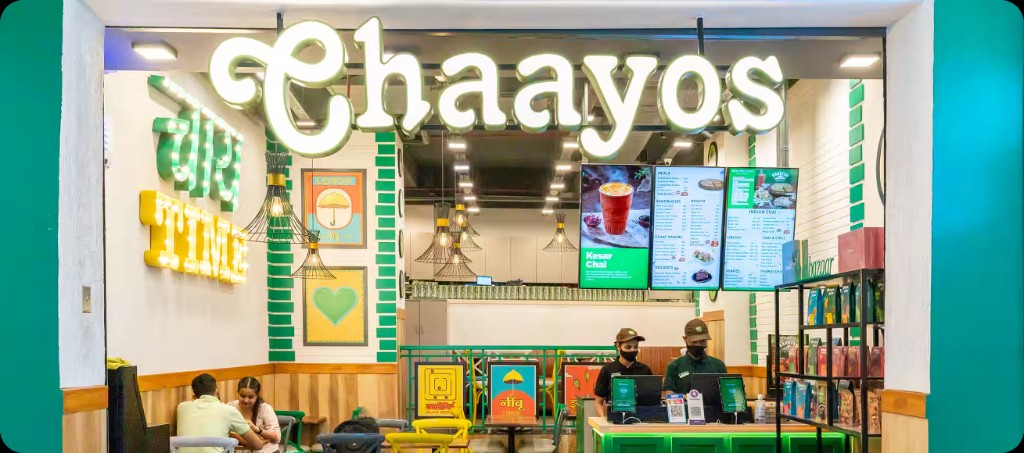
Interior of a Chaayos cafe
Chaayos

The hard part is the handoff.

“It was the handoffs. One approval waiting on another. A vendor update sitting somewhere. A team finding out too late that an upstream task had slipped.”
Mohit MalikCTO, Chaayos
Read the story
Protect your opening date

Every late day
has a cost.

Pre-openings commonly run 30 to 45% past plan. Every week past the announced date is room, F&B and banquet revenue lost, with payroll and the loan already running.

Calculate your revenue at risk
An illustrative hotel opening
Rooms
120
Revenue per room per night
₹4,200
Opening delay
21 days
Revenue at risk₹1.06Cr / opening

Example: 120 × ₹4,200 × 21 days = ₹1,05,84,000. Illustrative room revenue; excludes F&B.

Stay connected

Keep your tools.
Connect the work.

Bring your workflow together with the tools your teams already use.

NotionGmailWhatsAppRaycastSlackClayClayLinear
Explore integrations
A few things to know

Your questions,
answered.

We run construction on a PMIS. Where does Nodomo start?

At handover. Construction tools stop when the building is ready. Nodomo runs everything after: budgets, hiring, licences, commissioning, launch and handover to operations.

Is Nodomo hotel project management software or a workflow tool?

Both, for one kind of project: cross-functional work with deadlines, approvals and external users. Generic project management tools stop at your company's login page. Nodomo keeps contractors, consultants and brand reps in the flow from email, with no new platform for anyone to adopt.

Can we plan backward from a fixed opening date, and see the reason when something slips?

Yes. Set the opening date and Nodomo backward-schedules every task from it, giving the GM a D-30, D-15 and D-7 view. When a step is rescheduled the owner records a reason, so you know which department caused the delay.

Can renovations and licence renewals run on it too?

Yes. Renovations use the same playbook with a closure window and a reopening date. Licence renewals start on their own, with enough lead time and the right owner.

Our contractors and consultants will not use another tool.

They never have to. They get a link by email or WhatsApp, upload the test report or photo, and it lands in the flow with a timestamp.

How fast can we set up a pre-opening?

Start from the pre-opening template or upload the tracker you use today. Most teams have the flow running the same day.

Build your next opening in Nodomo.

Start from the Retail Opening Template or bring the tracker your team already uses. See your first opening as one connected flow.

Get 14 days free trial