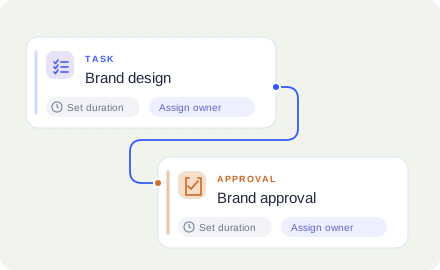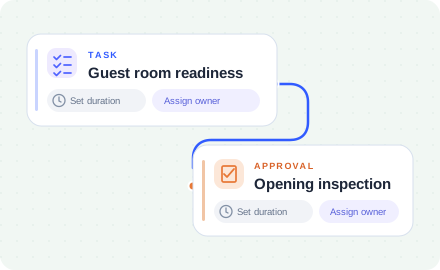
















No login required for participants
External vendors & internal teams do tasks via Email, Slack, Teams. No need to adopt a new platform.
Get startedProject management software for retail rollouts, store openings, transitions and remodels.
Coordinate real estate, GC, design, construction & external vendors at every project milestone from site sign-off to opening day. Track project completion against planned dates and identify improvements over time.
Explore NodomoKeep new store openings moving with coordinated teams, smarter handoffs and early visibility into delays.
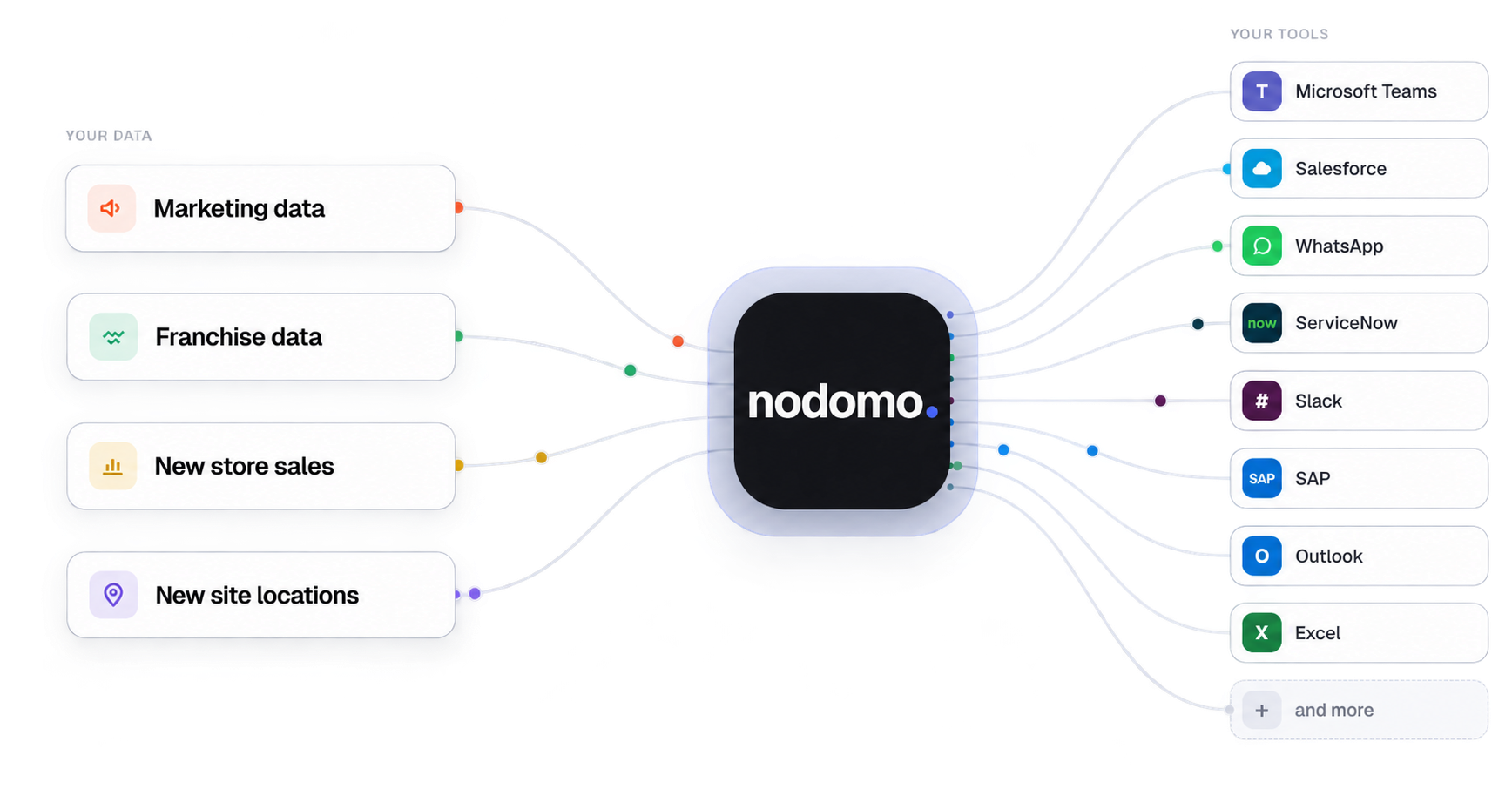
External vendors & internal teams do tasks via Email, Slack, Teams. No need to adopt a new platform.
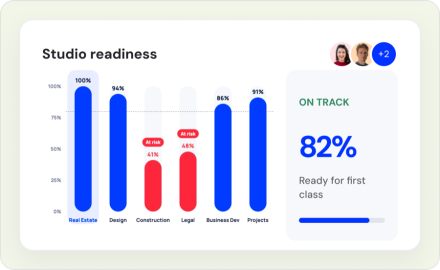
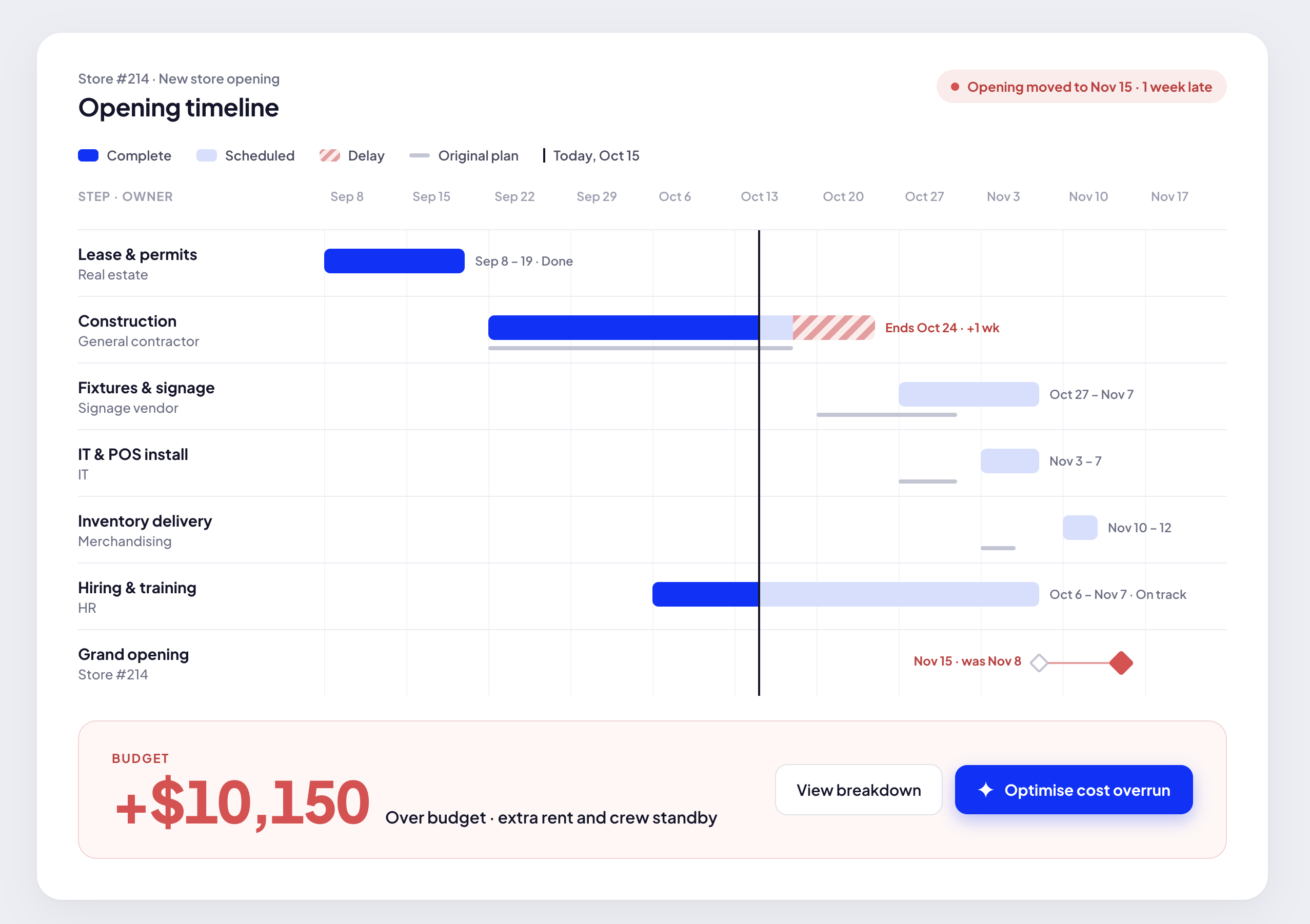
Get startedKeep every team on the same page about the project progress. Spot issues early and prevent delays before they affect project timelines.
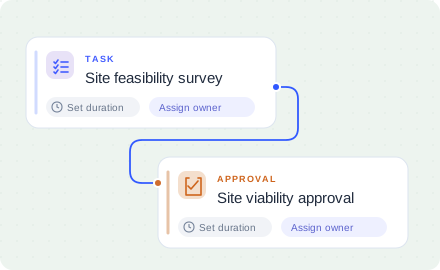
Get startedNodomo automatically assigns task to the next team with all context.
Get startedTrack which teams cause project delays. Reward for on-time delivery.
Get started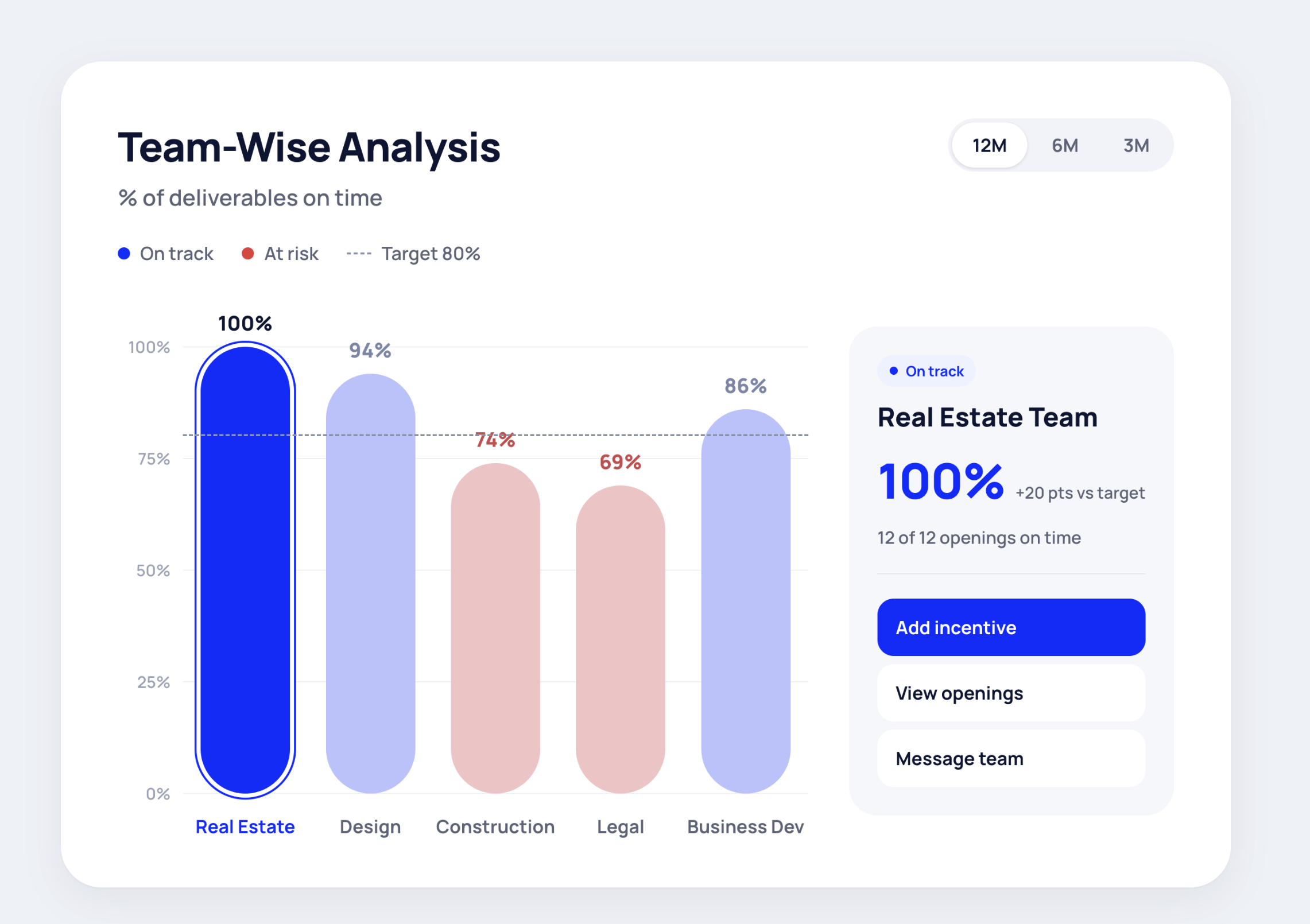
A fast-growing cafe chain with a continuous pipeline of openings moved its new store process from spreadsheets and chat into one flow. Every task has an owner, every approval has a deadline, and the leadership team sees where each cafe stands without asking.

“The biggest change for me has been accountability.”
“It didn't ask us to reinvent our process. Vendors can simply complete their task or approval via email and keep the project workflow moving.”
“Gives visibility on which projects are delayed, which teams are the bottlenecks, and revenue at risk due to late openings.”


AI calls vendors, reminds task owners and escalates overdue work before it puts a new store opening at risk. Less manual chasing means more time saved for project managers.
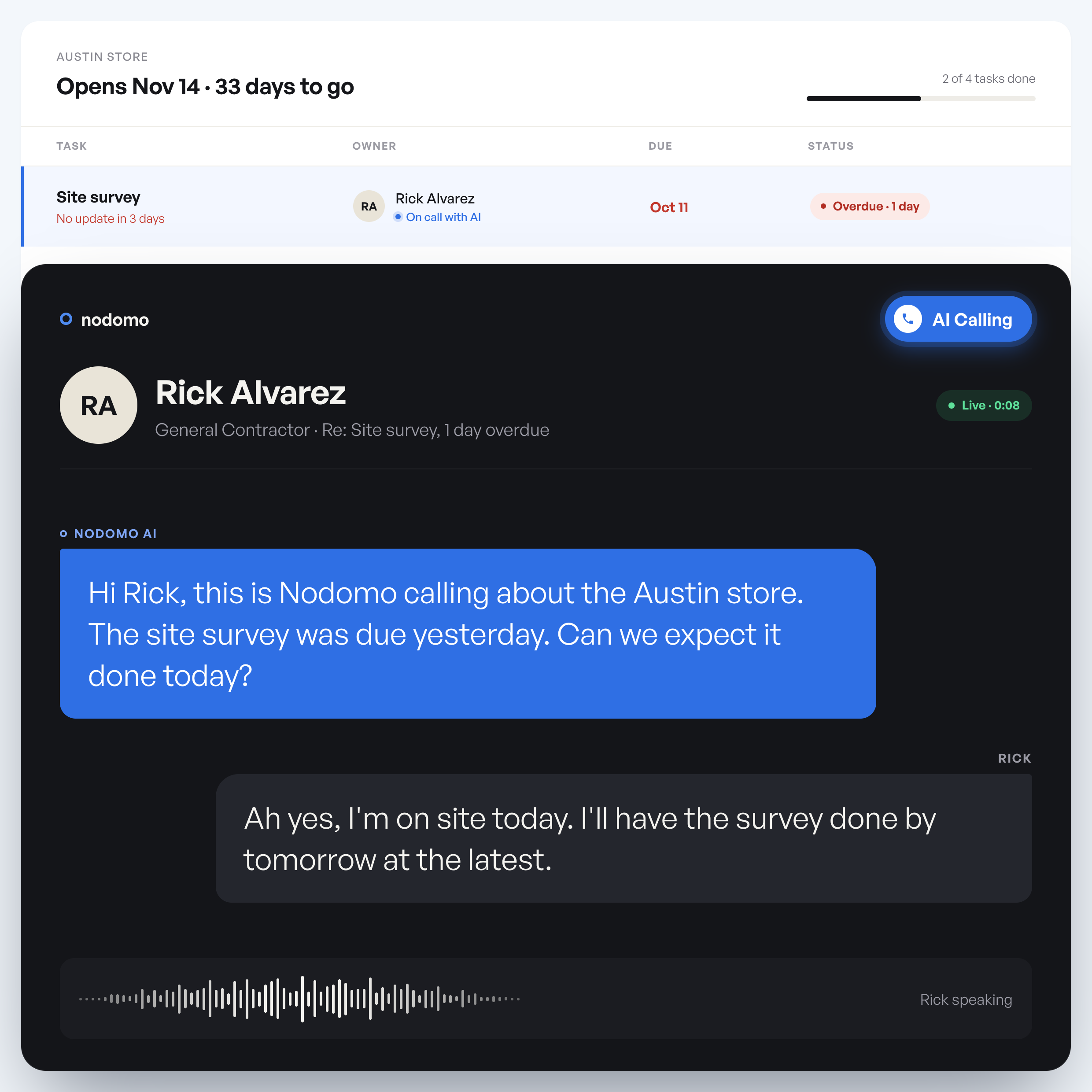
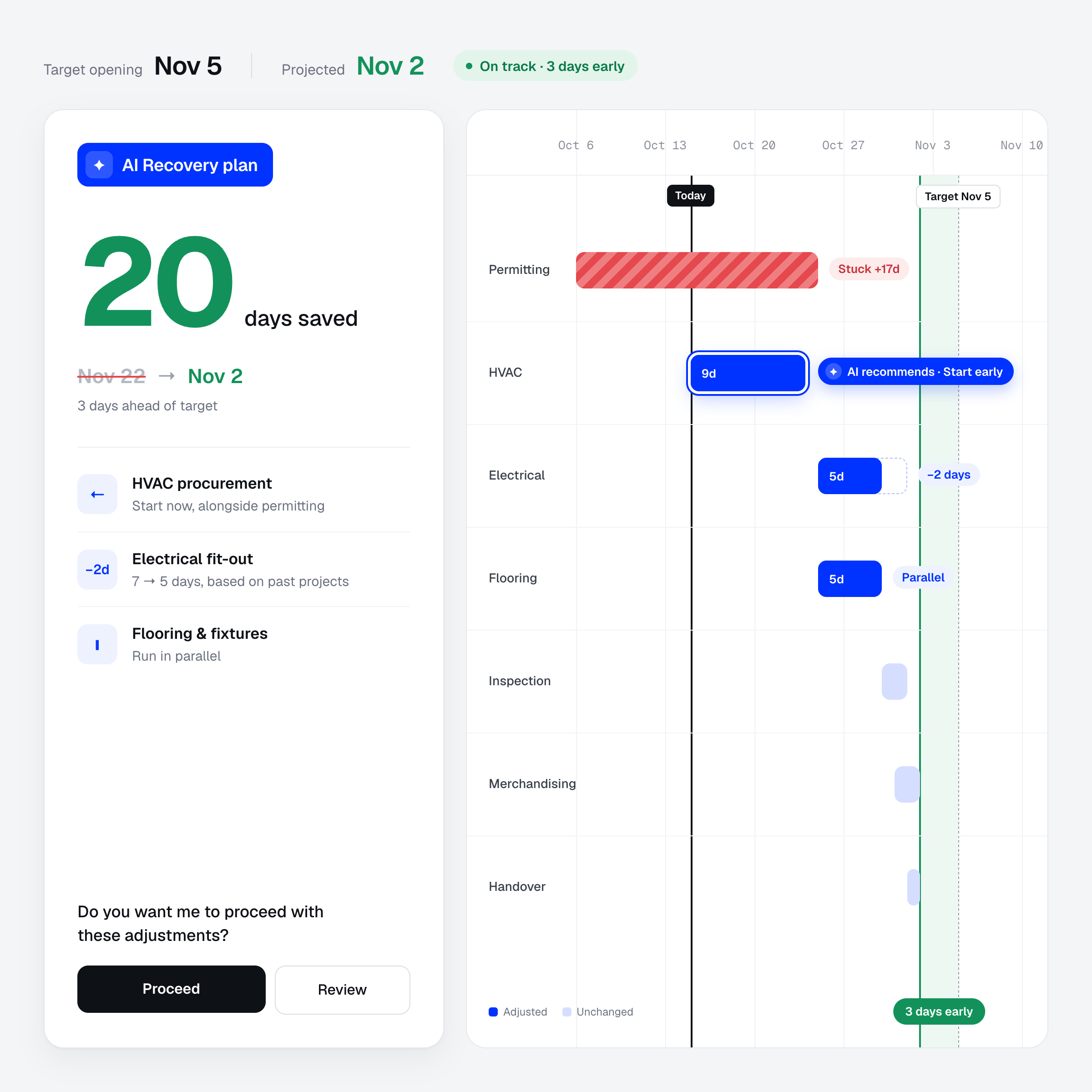
When possession dates slip, see the impact on dependent tasks and get an actionable plan to recover your opening timeline.
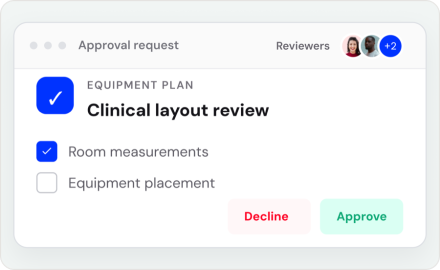
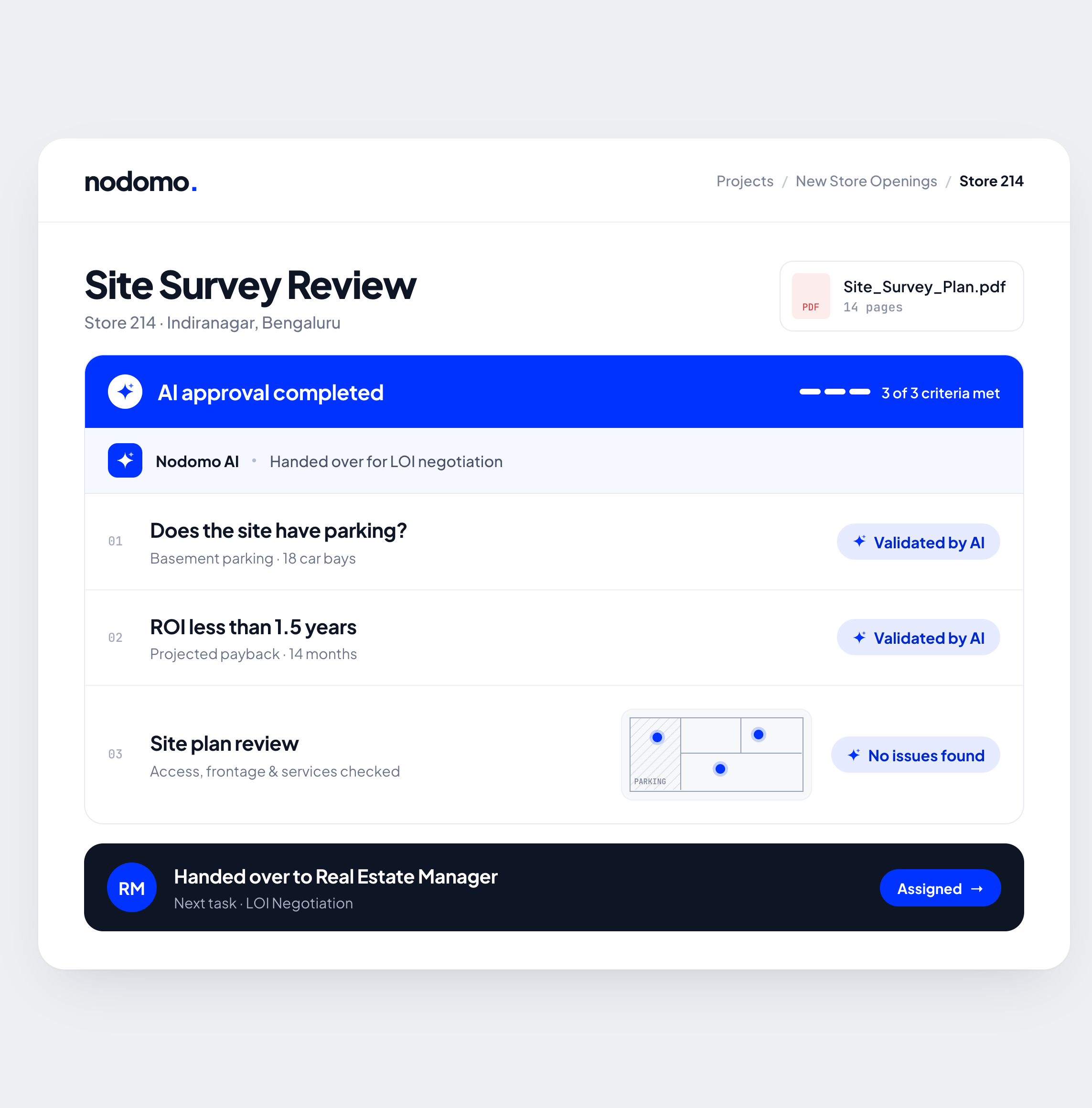
Enable faster approvals by automating manual checks with Nodomo AI. Saves ~14% time to build
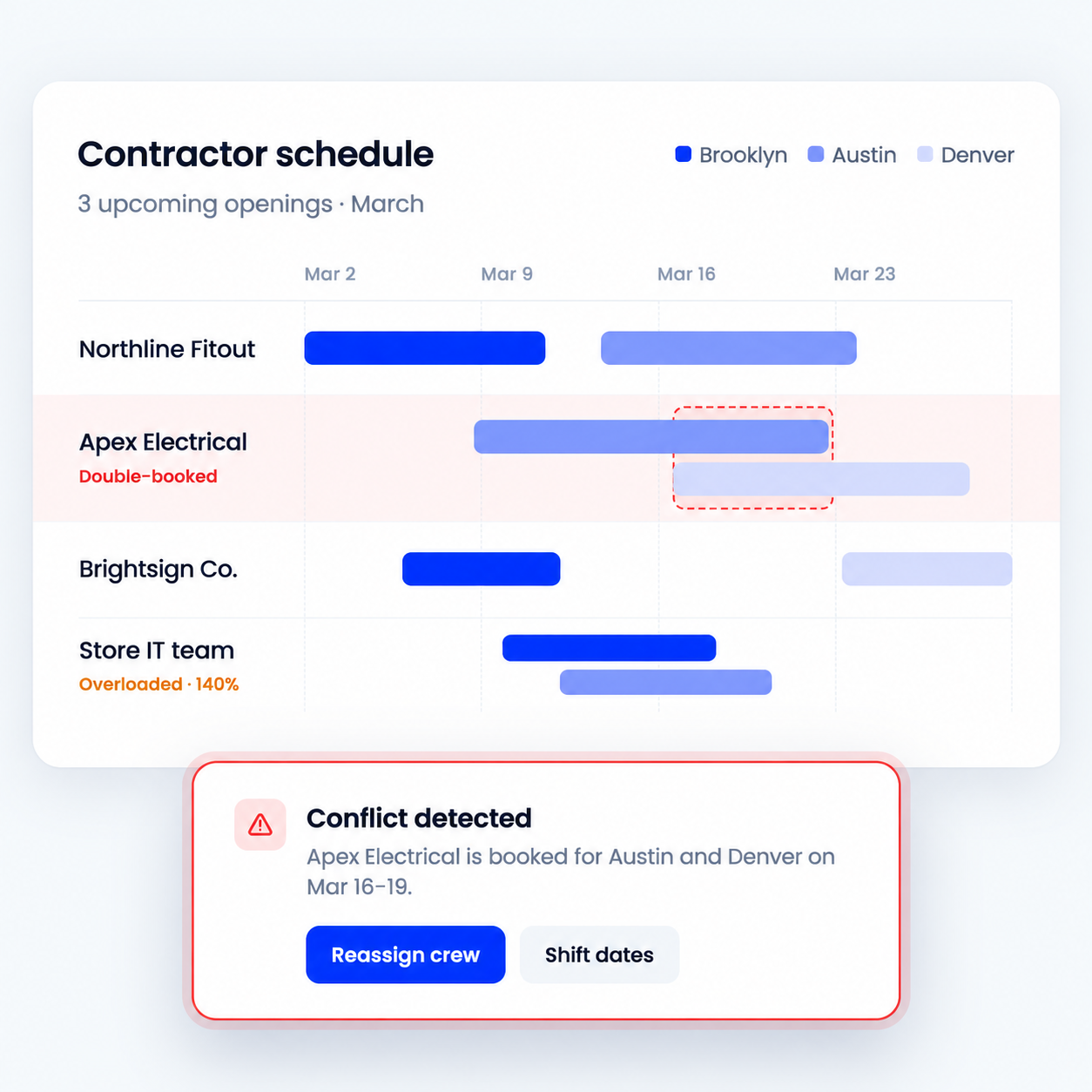
Spot double-booked contractors and overloaded teams across upcoming openings, before schedules start to slip.
Start with a workflow built for your industry. Make it yours.
Take a store from site selection to opening day.
Coordinate clinical space, equipment, compliance and team readiness.
Coordinate the space, equipment and team for your first class.
Give every franchise outlet a repeatable path from site approval to opening day.
Plan property readiness, service teams and the first guest experience.
Manage every project a site goes through, from new builds and openings to revamps, remodels, transitions, refreshes, rollouts and more.
Plan & build
Coordinate site selection, permits, construction and fit-out before the first opening.
Plan & launch
Bring leasing, hiring, inventory, vendors and launch approvals into one plan.
Transition & hand over
Coordinate ownership changes, team handovers and operational transitions with clear responsibilities and timelines.
Promote & launch
Coordinate campaigns, on-site displays, promotional materials and brand launches across locations.
Refresh & improve
Rework layouts, fixtures and customer spaces with clear owners and handoffs.
Refresh & improve
Plan refurbishment, repairs and contractor work while coordinating site operations.
Refresh & renew
Coordinate signage, fixture and finish updates across sites, with clear owners, vendor handoffs and completion checks.
Move & relaunch
Connect the old-site handover and new-site setup so teams can plan the move together.
Transition & renew
Coordinate inventory transfers, asset recovery, vendor close-out and property handover.
See the revenue you protect by reducing delays, alongside Nodomo’s cost.
Average sales a new site does per month
BD, legal, finance, projects, procurement, IT, HR, ops, and so on
Fit-outs typically slip 30 to 45% of schedule
10 openings, 3 weeks saved in each
Nodomo costs about 2.4% of the revenue it protects. The rest stays with you.
From site sign-off to go-live, we usually see Project Managers ask us these questions-
Nodomo is built for projects that involve multiple departments, vendors, or approval stages. Common use cases include new store openings, store renovations, site development, construction handovers, vendor onboarding, CapEx approvals, and multi-location rollouts. You can create workflows for different project types and reuse them whenever a new project starts.
New store openings involve several teams working toward one opening date. Delays often occur when one team finishes its work but the next team doesn't start immediately. Nodomo connects these handoffs: when a task or approval is completed, the next responsible person is notified automatically. Overdue work is followed up, and management can see which sites are falling behind. Tasks and approvals are sent by email, so internal teams and external vendors can act through links without logging in. There's no time lost getting everyone trained on and adopting another platform.
Nodomo is a project management tool especially built for retail and hospitality projects - unlike generic tools like Asana, Monday.com, or Smartsheet. Instead of relying on everyone to log in and regularly check a project board, Nodomo lets people execute tasks and approvals without a login via emails, Slack, Microsoft Teams, WhatsApp, or another channel that their team already uses. So there's no new platform for task owners to adopt or get trained on. Managers still get a central view of project progress, delays, and bottlenecks.
No. Vendors, contractors, landlords, brokers, and other external stakeholders can complete assigned tasks without signing up or logging in. They receive a task link through a channel such as email, Slack, MS Teams, or WhatsApp, and can submit updates, upload documents, or respond to approval requests. Their responses automatically appear in your project workflow, keeping everyone accountable without another app.
Yes. You don't have to rebuild your process from scratch. Nodomo's AI-assisted workflow builder can use an existing spreadsheet or written process description to create a draft workflow with tasks and dependencies. You can review and refine the sequence, add forms and approvals, and assign the right people before starting a project.
You define what should happen after each task or approval, and who needs to act next. Nodomo then notifies the next person automatically when the preceding step is completed. For example, once a location receives CapEx approval, contractor selection, fixtures, signage, IT procurement, and hiring can be assigned to their respective teams in parallel instead of waiting for someone to send separate follow-ups.
Yes. You can build workflows where dependent tasks start in sequence while independent activities run at the same time. For example, after a store's CapEx is approved, contractor selection, fixture procurement, signage, IT setup, and hiring can move forward in parallel. Approval stages and rework paths can also be configured to reflect your actual process.
You can set a target completion or opening date and track your planned finish date against the project's current expected completion. Nodomo also lets you define deadlines for the individual steps that lead up to opening. Fully automatic backward calculation of every task deadline from a fixed opening date is not yet a standard, generally available capability; check with the Nodomo team if your rollout requires it.
Project managers can adjust task deadlines as plans evolve and monitor the current estimated completion against the original plan. Nodomo makes overdue steps and delayed projects visible, so teams can focus on the handoffs that need attention. Changes to dates can be managed during a project; changing the underlying structure of a workflow after a project has already started may require additional setup.
Nodomo follows up on pending and overdue tasks, reducing the need for project managers to repeatedly call or message stakeholders. Each task has an owner and a deadline. Automated reminders and configured escalations bring pending work back to the right person's attention, while the project view shows what's overdue and who needs to act.
Yes. Nodomo provides a centralized dashboard to track multiple projects or site openings at once. You can see project progress, pending activities, responsible stakeholders, and expected completion dates, making it easier to identify bottlenecks and focus on the locations that need attention before your next review meeting.
Yes. Nodomo can send task links and approval requests through email and supported communication channels such as Slack, Microsoft Teams, and WhatsApp, depending on the integrations enabled for your workspace. Recipients open the link to complete a form, upload a document, or respond to an approval without logging into a separate project board. Their updates are recorded in Nodomo.
Yes. Build a workflow once and reuse it across multiple locations. For example, a retail chain can create one new store opening workflow and launch a separate project instance for every new store. Each location maintains its own stakeholders, task progress, approvals, and deadlines while following the same standard process.
Yes. Nodomo can work with the communication channels your teams already use, including email, Slack, Microsoft Teams, and WhatsApp, so people receive tasks and approvals where they already work. For ERP, CRM, and other enterprise systems, the Nodomo team can review your integration requirements and confirm which connections are available for your setup.
You can start with a workflow template, describe your process to Nodomo AI, or use an existing project tracker to create a draft workflow. Then review the steps, assign people, configure deadlines, and launch your first project. Because task assignees can act from links, you don't need to train every vendor or internal stakeholder on a new project management dashboard. Setup time depends on workflow complexity.
Yes. Nodomo offers a 15-day free trial so you can build a workflow, assign stakeholders, and test it with a real project. Paid plans have different user roles: Admins manage workflows, Members work with project data, and Lite users complete assigned tasks through links without dashboard access. Lite access can still be a paid user role, even though it does not require a login. See the pricing section for current rates and enterprise options.
Know which projects are on track, where work is stuck, and who needs to move next. Bring every project update into one connected view.
Start your 15-day free trial