New stores, refits, relocations and closures in your retail expansion plans run as one flow, with every team and vendor in it. See which store is stuck and who owns the next move.
15-day free trial · Vendors, GCs and brokers join with one link, no login
Drag to explore · Scroll to zoom · Click a step to focus
One store opening is 60 to 200 tasks across six teams and a dozen vendors. In a tracker, a slip shows up only in the weekly review.
The tracker says on track. The site says otherwise.
One busy approver. The whole opening waits.
Updates by call and chat. No proof, no trail.
Start from a template for the most common retail projects, or build a flow for anything else: VM rollouts, POS upgrades, pop-ups, franchise onboarding.
See every opening's ETA and bottleneck on one dashboard, from lease sign-off and licences to fit-out, IT setup and hiring for opening day.
Every closure step leaves an audit trail, from landlord notice and stock transfer to deposit recovery and fixture removal with photo proof.
Contractors accept the job, upload drawings and post daily photos from one link, no login. Rejected quotes go back with your reason.
Run both sites in one workflow: fit-out at the new store, and stock, staff, fixtures and the GST and signage address change at the old one.
AI checks each contractor's handover photos against the brief, so permits, stock clearance and refit works close before the reopening audit.
Drag · Scroll · Click a step
Drag · Scroll · Click a step
Drag · Scroll · Click a step
Drag · Scroll · Click a step
Drag · Scroll · Click a step
Build the flow once. Copy it for mall, high street and franchise stores.
Templates · Copy & EditContractors, brokers and landlords update tasks and upload proof. No account, no app.
No login for vendors · One linkCapex, commercial and design sign-offs unlock the next step. Timers skip weekends and holidays.
Multi-level · audit trail · extensionsAI checks site photos against the brief. Each store shows its ETA and bottleneck.
Image AI · ETAs · Bottlenecks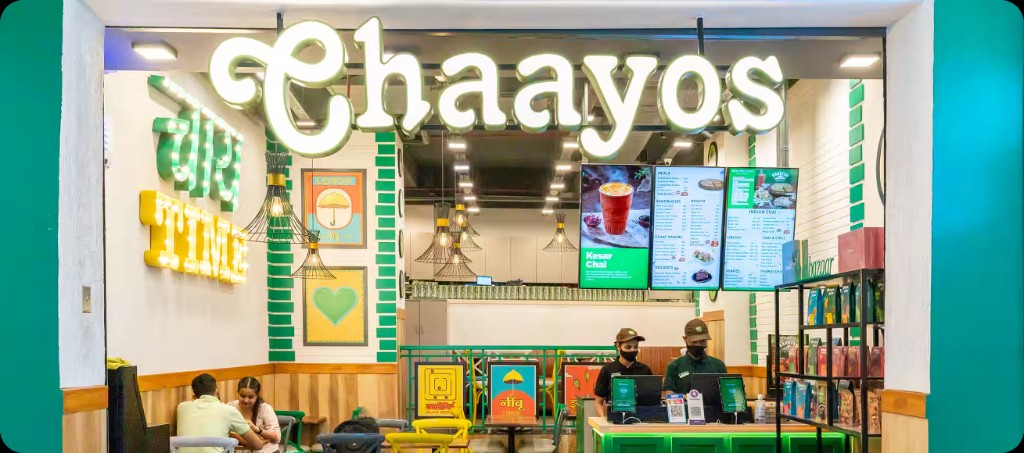
"It was the handoffs. One approval waiting on another. A vendor update sitting somewhere. A team finding out too late that an upstream task had slipped."
Chaayos · 400+ outlet chain · India


Every late day is lost sales while rent and salaries keep running. Catch the slip early and hold the opening date.
Calculate your revenue at risk →Catch delays early and protect this revenue.
Claude, Slack, Clay, Linear, Notion, and anything your team and agents run on.
Explore all →No. The build is one branch. The opening is the whole tree: BD, legal, finance, IT, HR, marketing and the store team. Nodomo runs the tree and your construction tool keeps running the build. GC updates flow in through a link.
Both, for one kind of project: cross-functional work with deadlines, approvals and external users. That is most project management in the retail industry. Think of it as a PMO tool that chases people for you. Generic project management tools stop at your company's login page. Nodomo keeps landlords, GCs and vendors in the flow from email, with no new platform for anyone to adopt.
Yes. Set the opening or handover date and Nodomo backward-schedules every task from it (your D-30, D-15, D-7 view). When a step is rescheduled, the owner records a reason for the delay, so the deviation is visible on the dashboard and you know which team caused it, not just that it happened.
The dashboard shows which projects are late, which team caused the bottleneck, who needs to act next and how much revenue is at risk. Reminders go to the owner first. If it stays stuck, the escalation names the delay in the project thread. Customers call this accountability without micromanaging: transparency, not pulling anyone up.
They never have to. They get a link by email or WhatsApp, complete the task, attach the photo or document, and it lands in the flow with a timestamp.
Yes. Closures and relocations have their own templates. VM rollouts push resets and signage to every store by a hard date, with photo proof of completion.
Your strategy decides where and how fast you open. Nodomo is where that plan gets executed. Each new store becomes a project with owners, deadlines and approvals, so you can see which openings are on track before the quarter's targets slip.
No. Your retail logistics software moves the stock. Nodomo runs the project around it: the approvals, fit-out and vendor handoffs that decide whether the store is ready when the stock lands. Supply chain gets its own step in the flow, with an owner and a deadline, like every other team.
Most chains run their first opening the same day. Start from the New Store Opening template or upload your Excel tracker.
Build your opening playbook this afternoon and run it for every store in your expansion. Free for 15 days.
Start free →Free for 15 days · Cancel anytime · Vendors join by link