Skip to template
HEALTHCARE / CLINICS / NEW CLINIC OPENING

New Clinic Opening
Workflow Template

Coordinate clinical space, equipment, compliance and team readiness. Start with a connected workflow, coordinate teams and vendors, and tailor the process to your project.

  • 4 milestones
  • Fully customizable
  • Free to explore
  • Chat & collaborate
A CLOSER LOOK

Explore the Workflow

Explore the tasks, approvals and handoffs in this workflow.

Use This Template
New Clinic Opening Recorded workflow · Sample team◷ Estimated duration: 91d
TRIGGER

Manual Trigger

◷ Manual
Sarah MitchellFacilities
Next connections: triggered: Site Feasibility Survey
TASK

Site Feasibility Survey

◷ 3d
Sarah MitchellFacilities
Next connections: completed: Site Viability Approval
APPROVAL

Site Viability Approval

◷ 24h☑ 1 approval level
Sarah MitchellFacilities
Next connections: approved: LOI signed
TASK

LOI signed

◷ 5d
Sarah MitchellFacilities
Next connections: completed: Lease execution; completed: Licenses & permits; completed: Site handover from landlord
TASK

Lease execution

◷ 10d
Sarah MitchellFacilities
Next connections: completed: Design Brief
TASK

Licenses & permits

◷ 10d
Sarah MitchellFacilities
Next connections: completed: Design Brief
TASK

Site handover from landlord

◷ 5d
Sarah MitchellFacilities
Next connections: completed: Design Brief
TASK

Design Brief

♧ AND join◷ 5d
Sarah MitchellDesign
Next connections: completed: Drawings submitted
TASK

Drawings submitted

◷ 10d
Sarah MitchellDesign
Next connections: completed: Approval: Design
APPROVAL

Approval: Design

◷ 72h☑ 1 approval level
Sarah MitchellDesign
Next connections: approved: Capex estimate; declined: Rework
REWORK

Rework

Drawings submitted

↻ → Drawings submitted
Sarah MitchellDesign
Next connections: restart: Drawings submitted
TASK

Capex estimate

◷ 5d
Sarah MitchellDesign
Next connections: completed: CapEx Approval
APPROVAL

CapEx Approval

◷ 48h☑ 1 approval level
Sarah MitchellDesign
Next connections: approved: GC selection; approved: PO: fixtures; approved: PO: signage; approved: IT & POS order; approved: Hiring kickoff
TASK

GC selection

◷ 5d
Sarah MitchellFacilities
Next connections: completed: GC KickOff
TASK

GC KickOff

◷ 2d
Sarah MitchellFacilities
Next connections: completed: Civil & MEP works
TASK

Civil & MEP works

◷ 20d
Sarah MitchellFacilities
Next connections: completed: Fixtures install; completed: Signage install; completed: IT/POS install
TASK

PO: fixtures

◷ 5d
Sarah MitchellFacilities
Next connections: completed: Fixtures install
TASK

PO: signage

◷ 5d
Sarah MitchellFacilities
Next connections: completed: Signage install
TASK

IT & POS order

◷ 3d
Sarah MitchellFacilities
Next connections: completed: IT/POS install
TASK

Hiring kickoff

◷ 3d
Sarah MitchellFacilities
Next connections: completed: Punch List
TASK

Fixtures install

♧ AND join◷ 5d
Sarah MitchellFacilities
Next connections: completed: Punch List
TASK

Signage install

♧ AND join◷ 3d
Sarah MitchellFacilities
Next connections: completed: Punch List
TASK

IT/POS install

♧ AND join◷ 3d
Sarah MitchellFacilities
Next connections: completed: Punch List
TASK

Punch List

♧ AND join◷ 3d
Sarah MitchellClinic Operations
Next connections: completed: Approval: handover
APPROVAL

Approval: handover

◷ 48h☑ 1 approval level
Sarah MitchellClinic Operations
Next connections: approved: Licenses verify; approved: Inventory fill; approved: VM setup; declined: Rework
TASK

Licenses verify

◷ 5d
Sarah MitchellClinic Operations
Next connections: completed: GO LIVE
TASK

Inventory fill

◷ 3d
Sarah MitchellClinic Operations
Next connections: completed: GO LIVE
TASK

VM setup

◷ 5d
Sarah MitchellClinic Operations
Next connections: completed: GO LIVE
REWORK

Rework

Punch List

↻ → Punch List
Sarah MitchellClinic Operations
Next connections: restart: Punch List
TASK

GO LIVE

♧ AND join◷ 5d
Sarah MitchellClinic Operations
Drag to pan · Scroll to explore · Pinch to zoomTask completed Approved Rework
WHAT’S INSIDE THIS TEMPLATE?

Every team, every milestone,
one connected workflow.

Explore the milestones and the work included in each stage of your project.

01

Site & lease

7 nodes
FacilitiesLegalCompliance
Included in this milestone
  • Manual Trigger
  • Site Feasibility Survey
  • Site Viability Approval
  • LOI signed
  • Lease execution
  • Licenses & permits
  • Site handover from landlord
02

Design & approvals

6 nodes
DesignFacilitiesFinance
Included in this milestone
  • Design Brief
  • Drawings submitted
  • Approval: Design
  • Rework: Drawings submitted
  • Capex estimate
  • CapEx Approval
03

Fit-out & procurement

10 nodes
FacilitiesProcurementIT
Included in this milestone
  • GC selection
  • GC KickOff
  • Civil & MEP works
  • PO: fixtures
  • PO: signage
  • IT & POS order
  • Hiring kickoff
  • Fixtures install
  • Signage install
  • IT/POS install
04

Opening readiness

7 nodes
Clinic OperationsCompliance
Included in this milestone
  • Punch List
  • Approval: handover
  • Licenses verify
  • Inventory fill
  • VM setup
  • Rework: Punch List
  • GO LIVE
VIEW YOUR TEMPLATE, YOUR WAY

One template.
More ways to see the work.

Plan timelines, follow your workflow, and monitor progress. Explore the existing product visuals below.
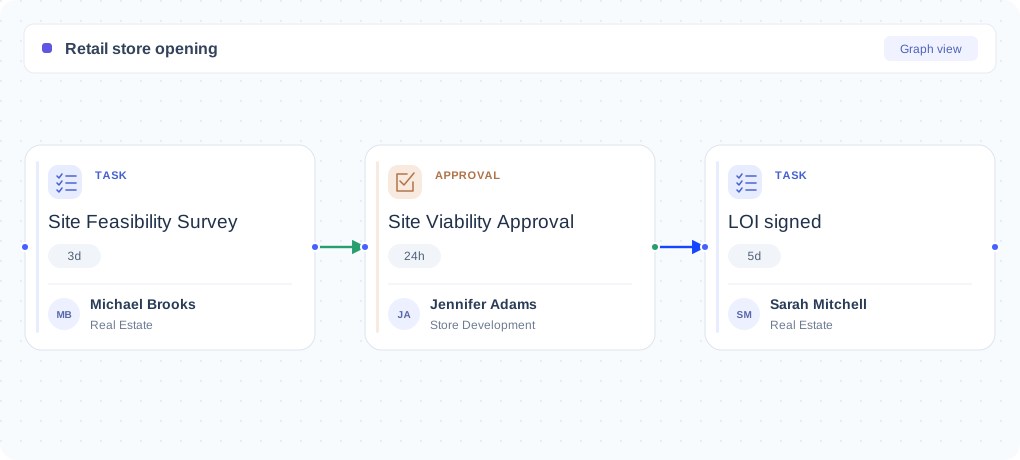
Nodomo workflow with assigned site feasibility, viability approval and LOI tasks
Nodomo product example

Workflow View

Explore this shared Nodomo product example. Configure the view around your own project.
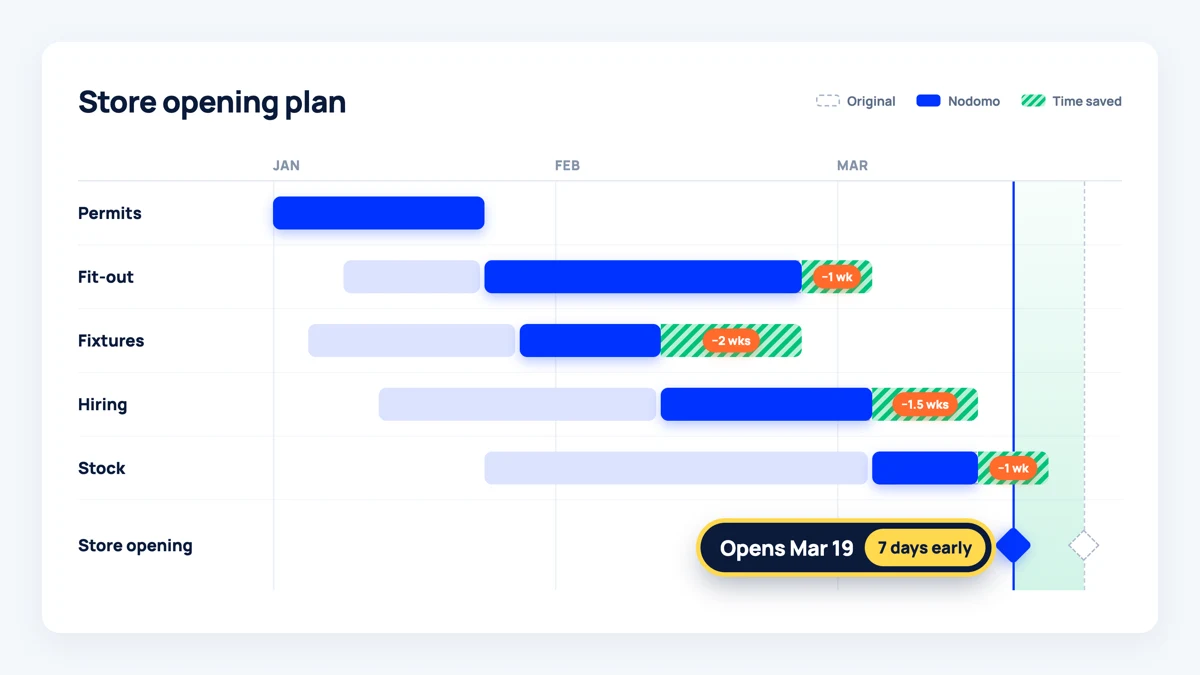
Store opening timeline with parallel work and dependencies
Nodomo product example

Gantt View

Explore this shared Nodomo product example. Configure the view around your own project.
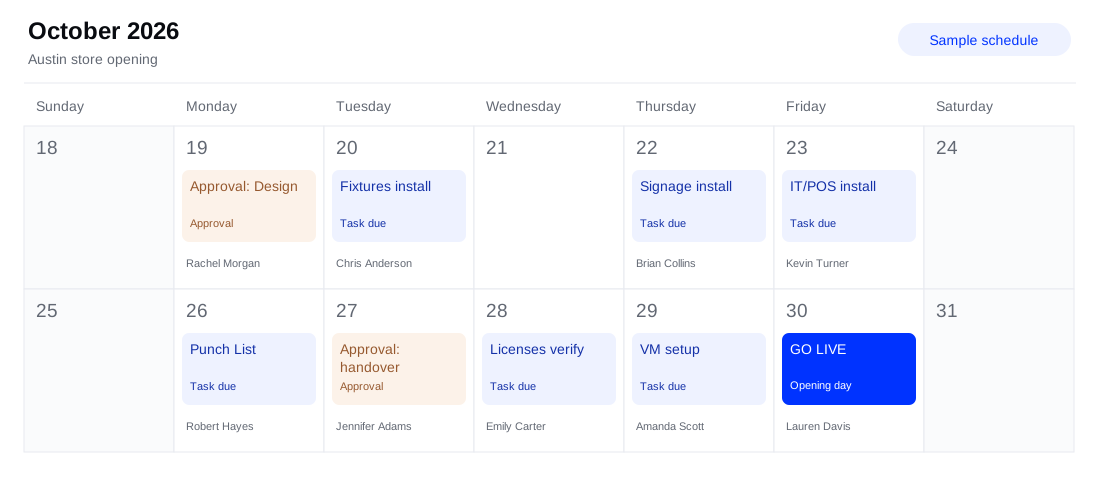
Sample calendar for an Austin store opening with tasks, approvals, assigned owners and opening day
Illustrative calendar concept

Calendar View

Explore this shared Nodomo product example. Configure the view around your own project.
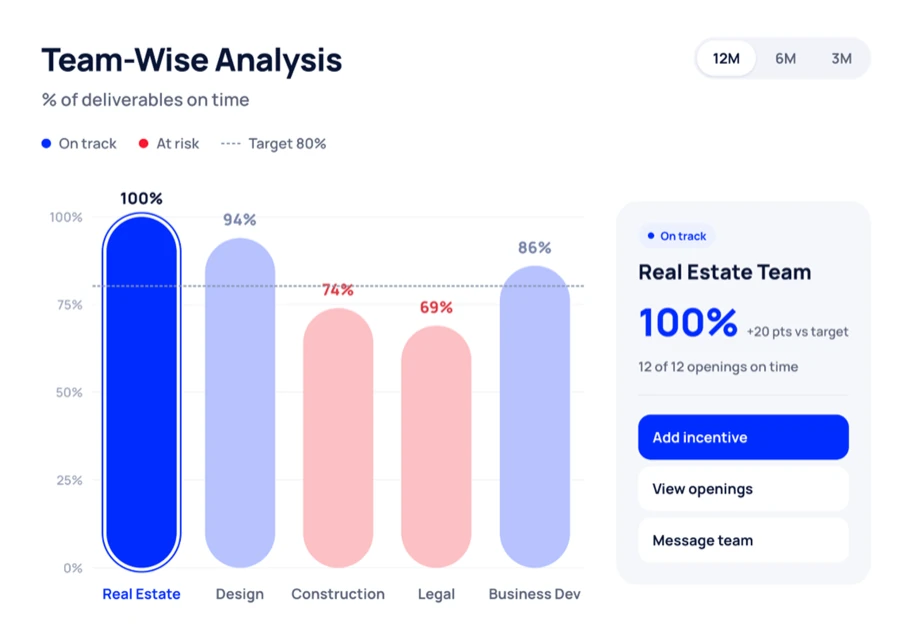
Nodomo team analysis showing on-time deliverables
Nodomo product example

Dashboard View

Explore this shared Nodomo product example. Configure the view around your own project.

WHY USE THIS TEMPLATE?

From template
to execution.

Start with a ready-made process and let Nodomo handle the coordination as your project moves forward.
Layered store-opening playbooks with a connected task highlighted in blue

Start with a ready-made process

Skip the blank canvas. Begin with a structured starter and adapt it to your company’s needs.
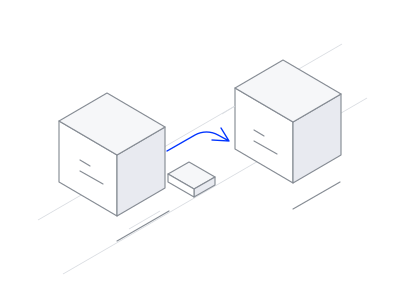
Two teams connected by a blue handoff arrow

Keep work moving automatically

When a task or approval is completed, Nodomo can notify the next people responsible.
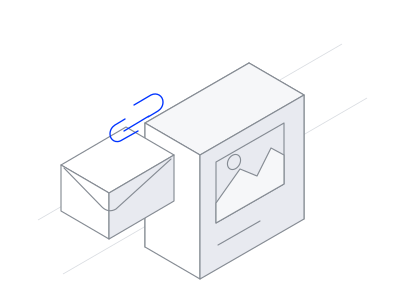
Project updates, documents and messages connected in one flow

Keep track of every step

Follow completed work, pending approvals, and overdue activities in one place.

KEEP EXPLORING
Browse all templates
A FEW MORE DETAILS

Frequently Asked
Questions

Can I customize this new clinic opening template?

Yes. Use the starter stages as a starting point, then review the tasks, assign owners, and configure dates and approvals for your process.

Can I reuse this workflow for other projects?

Reuse your configured workflow for each project and track progress from the portfolio dashboard.

Can external vendors participate without creating a Nodomo account?

Yes. Participants can respond to assigned tasks and approvals through task links without signing up or logging in.

Can I import my existing Excel tracker?

Nodomo’s AI-assisted builder can use a spreadsheet to create a draft workflow. Review and refine the tasks and dependencies before starting your project.

Stop finding out about delays in the weekly review

Know which projects are on track, where work is stuck, and who needs to move next. Bring every project update into one connected view.

Start your 15-day free trial