Location & Concept Approval
1 nodeYour team
Included in this milestone
- Location & concept approval
Turn a short-term space into a ready-to-trade store by connecting leases, modular fit-out, merchandising, and launch checks.
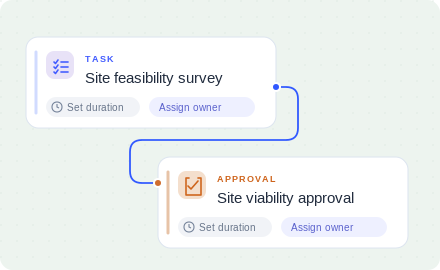
Follow the real process, stage by stage, with the approvals and rework loops that keep it honest.
Drag to explore · Scroll to zoom · Click a step to focus
Explore the milestones and the work included in each stage of your project.
Plan timelines, follow your workflow, and monitor progress. Explore the existing product visuals below.
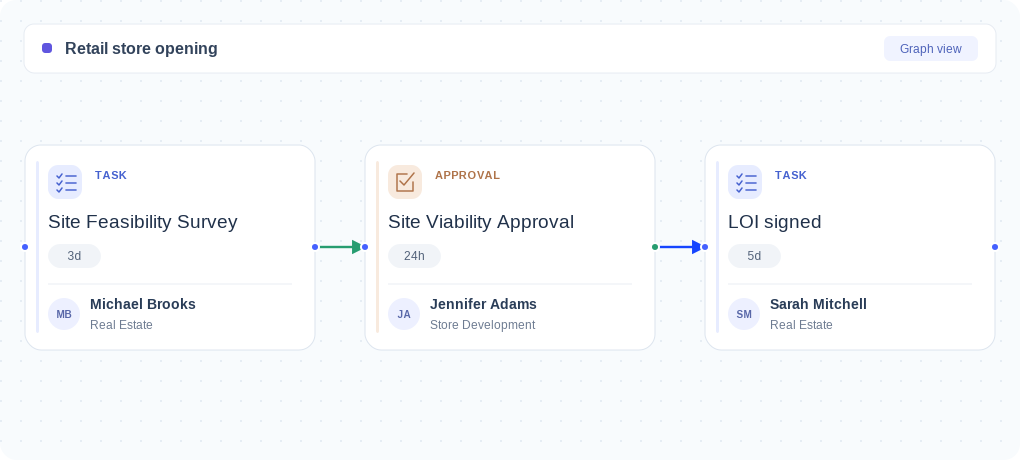
Explore this shared Nodomo product example. Configure the view around your own project.
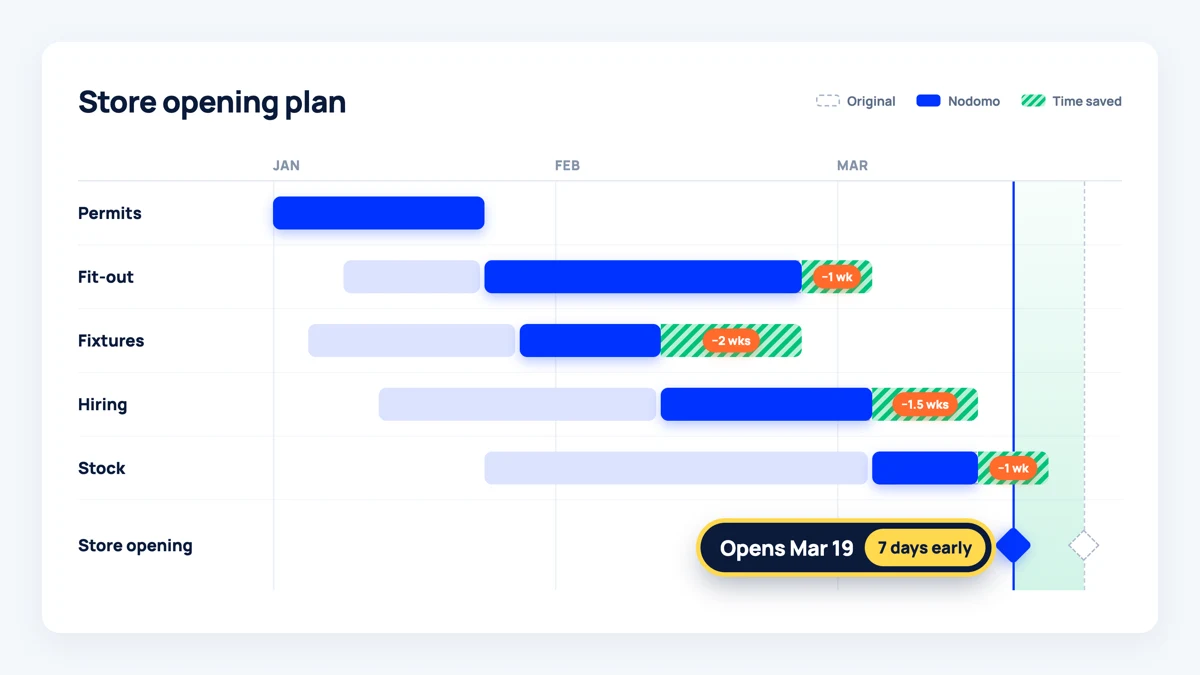
Explore this shared Nodomo product example. Configure the view around your own project.
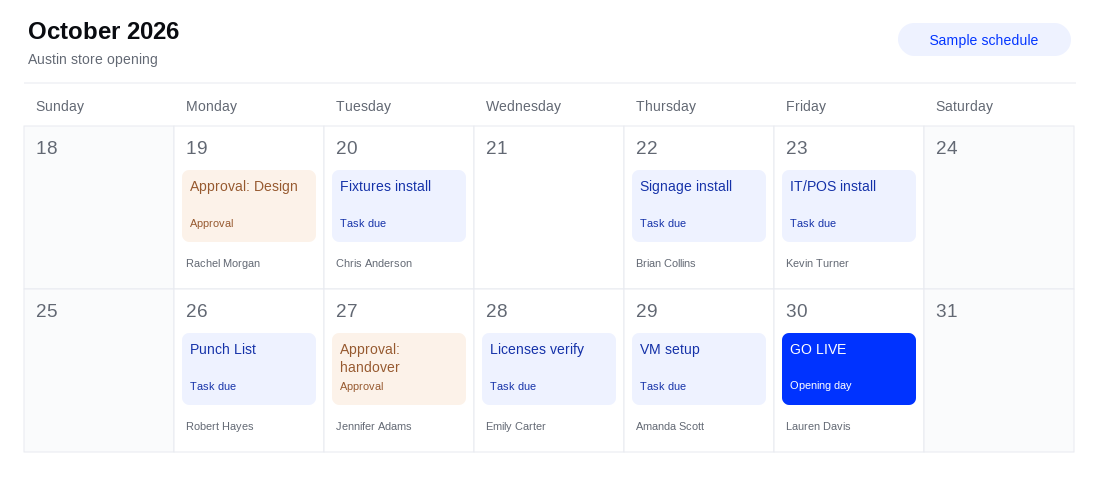
Explore this shared Nodomo product example. Configure the view around your own project.
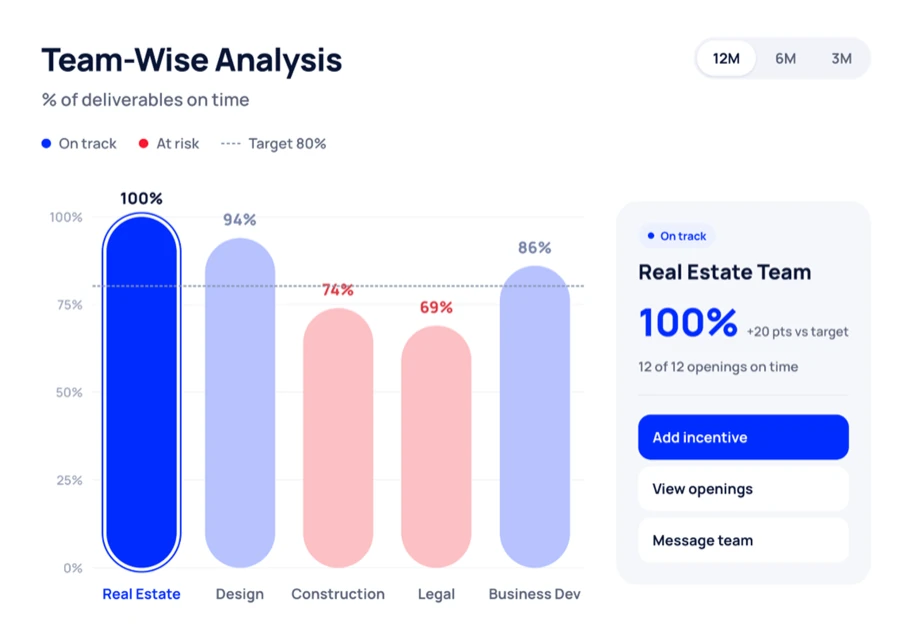
Explore this shared Nodomo product example. Configure the view around your own project.
When you only have a retail space for a weekend or a two-week campaign, a tight pop up shop set up checklist is the only way to protect your trading window. Whether you are learning how to do a pop up shop inside a mall or figuring out how to do a pop-up shop outside with mobile power and event permits, your checklist needs to cover four fast stages: short-term lease and permit sign-offs, modular fixture and vinyl branding production, capsule inventory and mobile POS setup, and a final pre-launch walkthrough.
Managing a fast activation across WhatsApp groups, spreadsheets, or generic task boards almost always leads to last-minute chaos. Generic tools require too much manual setup and cannot get quick updates from external print fabricators, couriers, or temporary event staff who do not have accounts in your software.
Because Nodomo is purpose-built for retail openings and activations, it turns setting up a pop up shop into a connected sprint where vendors update tasks via mobile links and every handoff happens automatically.
| Launch Stage | Activation Checklist Tasks | Why Nodomo Beats Generic Tools |
|---|---|---|
| 01. Space & Permits | Short-term lease sign-off, landlord rules, insurance, and event or outdoor permits. | Clears legal and permitting hurdles early so site access is never blocked on setup day. |
| 02. Modular Fit-Out & Branding | Window vinyl production, modular fixtures, lighting setup, and signage delivery. | Approving creative proofs automatically notifies print and fabrication vendors via no-login task links. |
| 03. Inventory & Mobile POS | Capsule stock delivery, Wi-Fi or 5G setup, mobile POS testing, and staff briefing. | Runs IT, merchandising, and staffing tasks in parallel while contractors finish the floor. |
| 04. Walkthrough & Go-Live | Final visual merchandising check, payment terminal test, and opening sign-off. | Enforces a 24-hour pre-launch approval gate and routes instant rework if signage or POS fails. |
Once you open a pop up store successfully in one city, you should not have to rebuild your project plan from scratch for the next market. In Nodomo, you can clone your proven workflow for your next seasonal drop, festival booth, or multi-city roadshow.
Take a store from site selection to opening day.
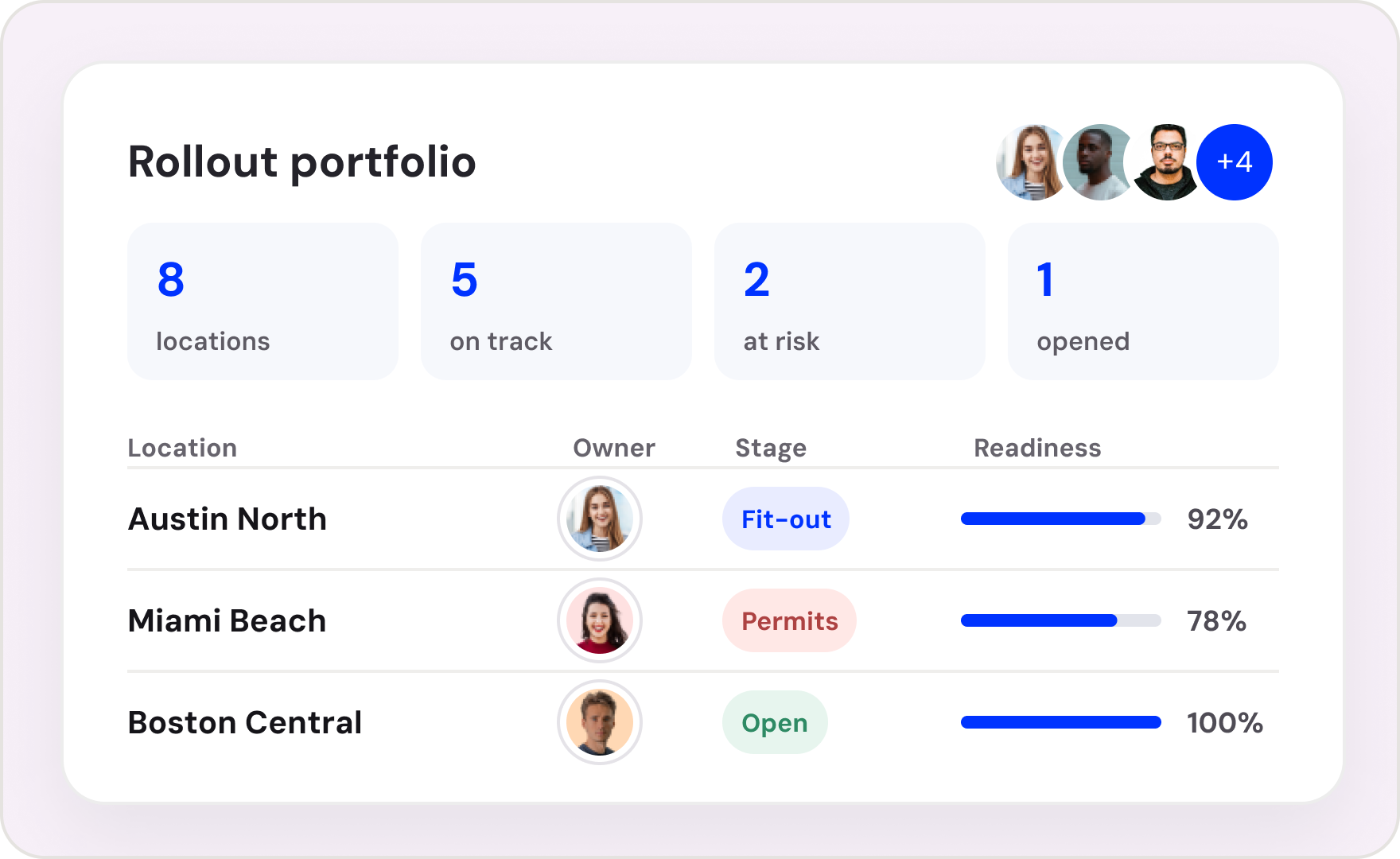
Keep multiple locations moving through a consistent plan.
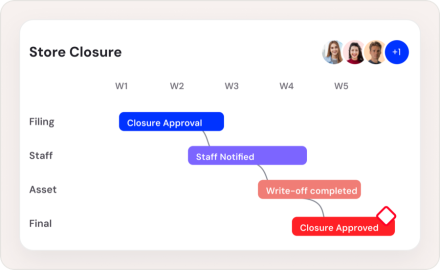
Coordinate approvals, staff communication, asset write-offs and a clear final sign-off.
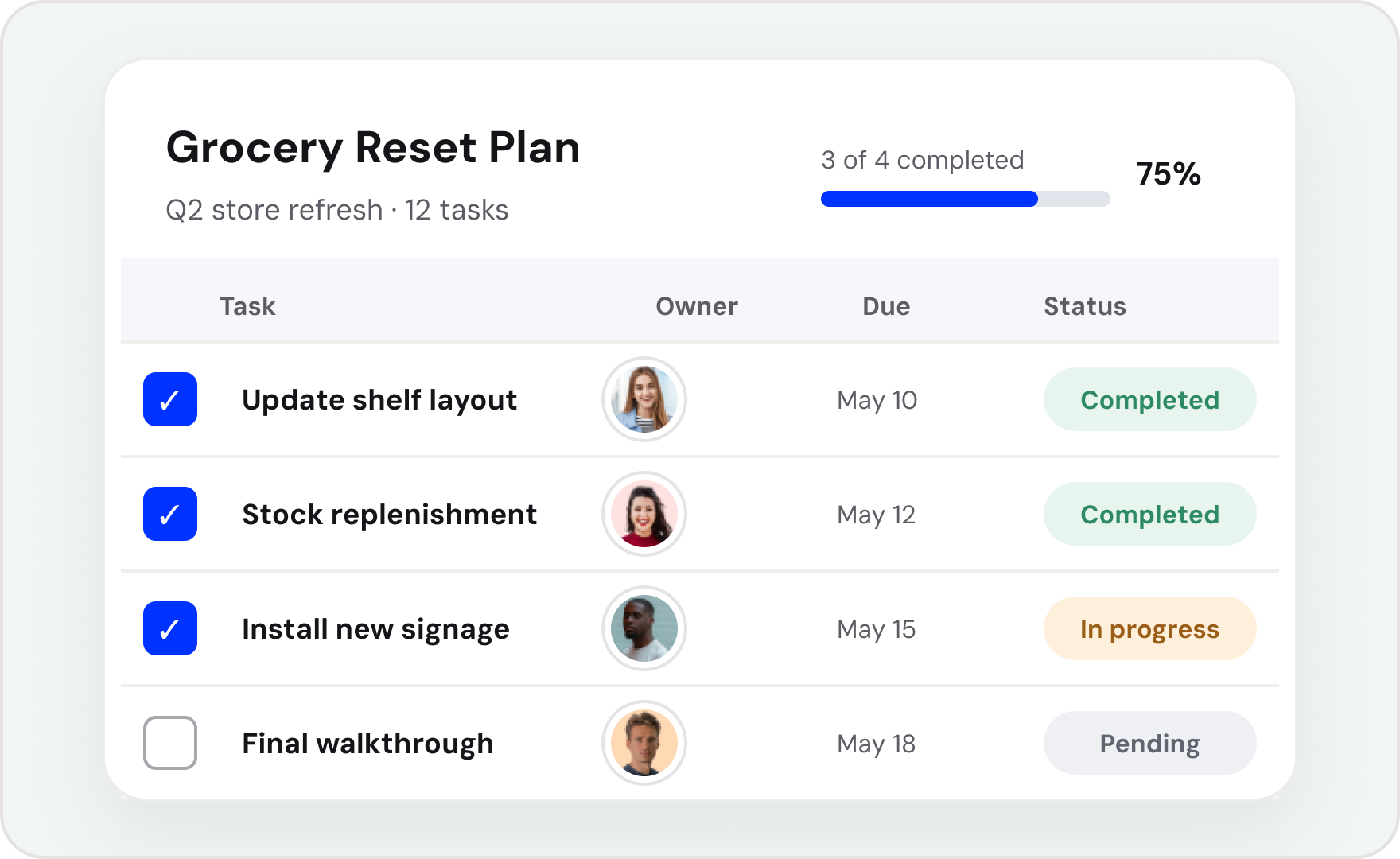
Coordinate the reset across store layout, inventory, signage and final walkthrough.
Yes. Use the starter stages as a starting point, then review the tasks, assign owners, and configure dates and approvals for your process.
Reuse your configured workflow for each project and track progress from the portfolio dashboard.
Yes. Participants can respond to assigned tasks and approvals through task links without signing up or logging in.
Nodomo’s AI-assisted builder can use a spreadsheet to create a draft workflow. Review and refine the tasks and dependencies before starting your project.
Know which projects are on track, where work is stuck, and who needs to move next. Bring every project update into one connected view.
Start your 15-day free trial