Closure Approval
4 nodesStore Operations
Included in this milestone
- Manual Trigger
- File for store closure
- Closure approval
- Rework: File for store closure
Coordinate closure approvals, lease exits, deposit recovery, staff transfers, and final sign-offs in one structured workflow.
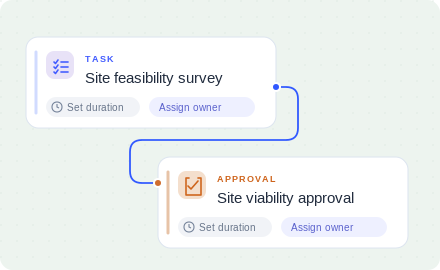
Follow the real process, stage by stage, with the approvals and rework loops that keep it honest.
Drag to explore · Scroll to zoom · Click a step to focus
Explore the milestones and the work included in each stage of your project.
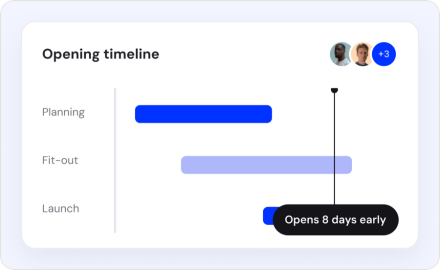
Plan timelines, follow your workflow, and monitor progress. Explore the existing product visuals below.
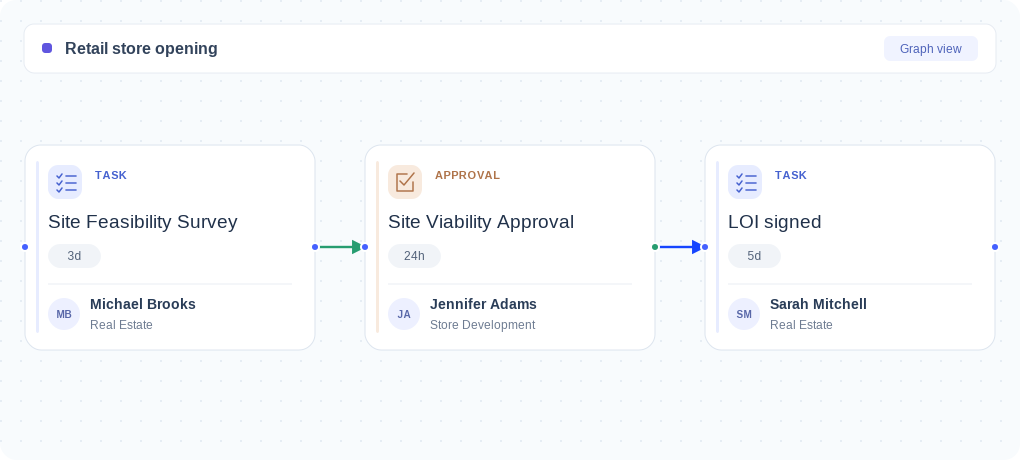
Explore this shared Nodomo product example. Configure the view around your own project.
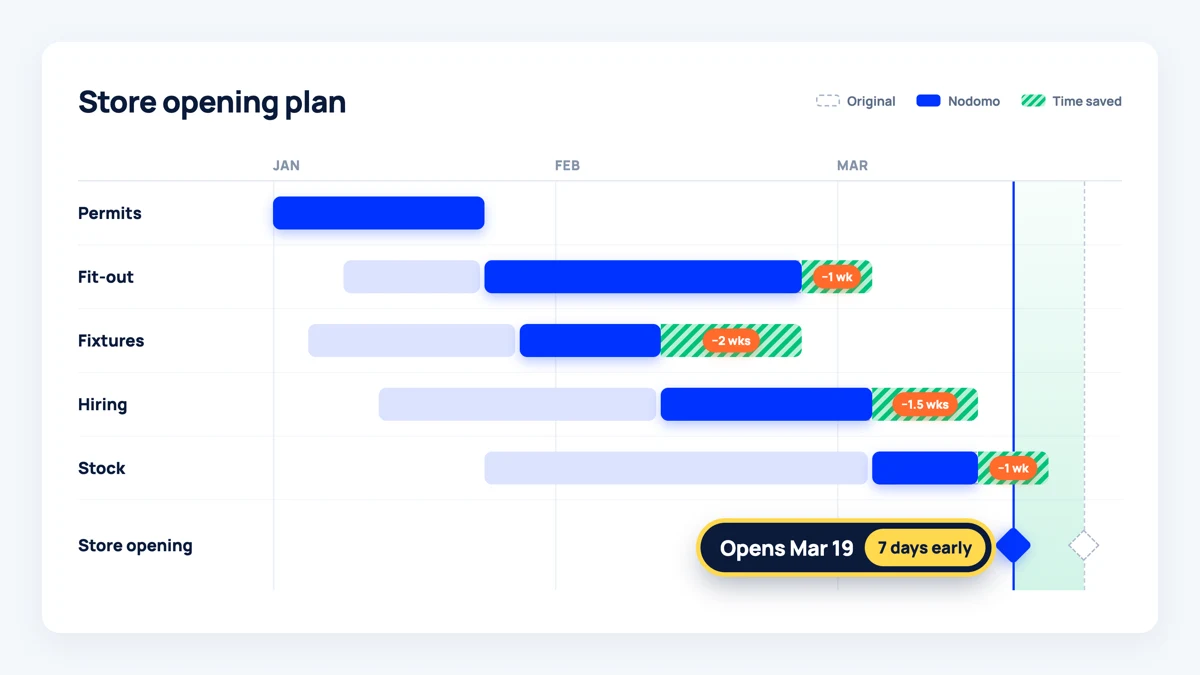
Explore this shared Nodomo product example. Configure the view around your own project.
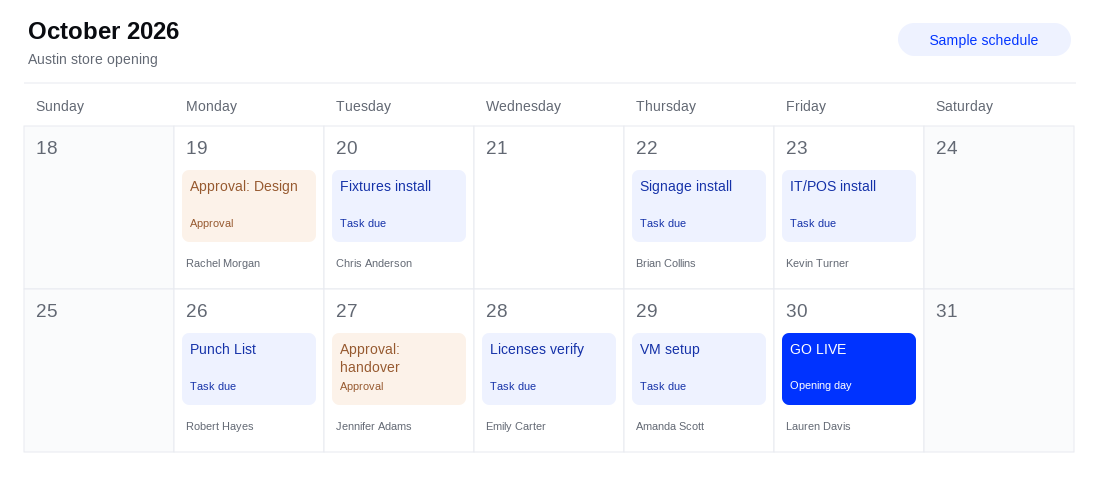
Explore this shared Nodomo product example. Configure the view around your own project.
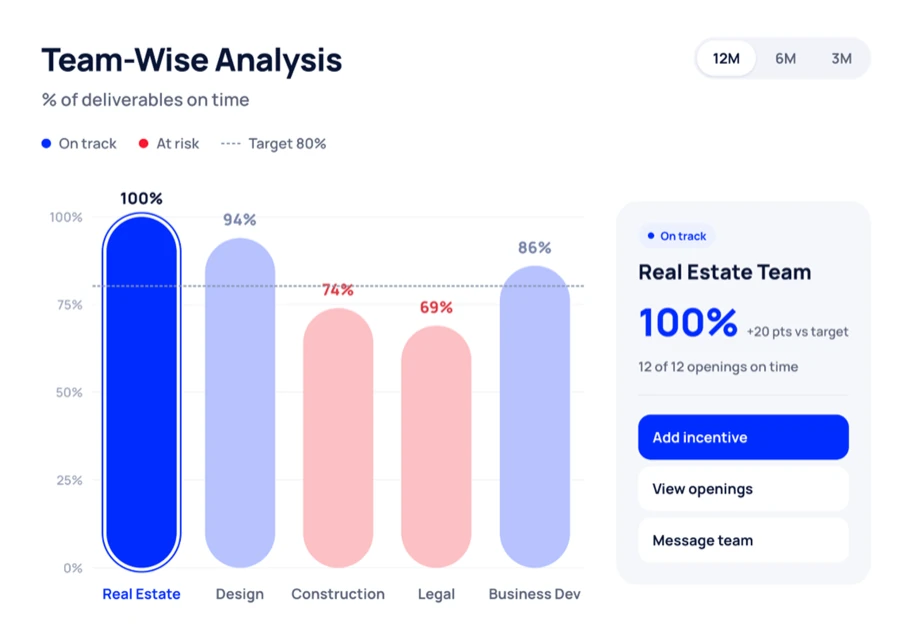
Explore this shared Nodomo product example. Configure the view around your own project.
When you are winding down a retail unit, restaurant, or commercial site, a thorough checklist for closing a business protects you from costly legal and financial slip-ups. A proper business shut down checklist or facility closure checklist has to cover five critical areas at once: serving formal landlord lease termination notice, recovering your security deposit, transferring or offboarding staff, liquidating or moving store inventory, and writing off fixed assets and utility accounts.
Most teams download a static closing checklist template in PDF or Excel format, or drop a list of tasks into a generic project tracker. The problem is that generic tools do not enforce cross-departmental governance. In a spreadsheet, anyone can tick a box saying the store is closed even if Legal has not confirmed the landlord handover or Finance has not cut off the POS terminals, leaving you paying dead rent or active utility bills.
Because Nodomo is built custom for store lifecycles and transitions, it turns your closing a business checklist into a gated, 6-stage workflow where the location cannot be marked closed until every department proves its work is done.
| Closure Stage | Checklist Tasks Included | Why Nodomo Beats Generic Tools |
|---|---|---|
| 01. Closure Approval | Store Ops files the closure request and triggers a 24-hour executive approval gate. | Approving this single gate automatically fires parallel tasks to Finance, Legal, HR, and Merchandising. |
| 02. Finance & Assets | Set final sales cutoff date (2d) and complete fixed-asset write-offs and POS reconciliations (5d). | Gives Finance a clear countdown to close terminal accounts and write off equipment cleanly. |
| 03. Lease & Deposit | Serve formal landlord notice (5d) and manage dilapidation handovers for deposit recovery (14d). | Tracks lease exit notice dates and handover proof so your security deposit is recovered in full. |
| 04. Staff Transition | Execute staff notifications (3d) and coordinate transfers to nearby stores or final payroll (7d). | Keeps HR and store managers aligned on employee redeployments and legal notice timelines. |
| 05. Inventory & Liquidation | Capture store stock snapshot (2d) and run markdown liquidations or inter-store transfers (10d). | Ensures leftover stock and high-value fixtures are moved to active locations before strip-out. |
| 06. Final Closure | Complete the final closure checklist (3d) and pass the 48-hour executive sign-off gate. | Uses an AND-join gate so the site cannot close until all 4 parallel departmental tracks are verified. |
Accountability is built into every step of this workflow. If a final walkthrough shows that keys were not returned or dilapidation repairs are incomplete, leadership can decline the approval gate and send an automatic rework task back to the field team.
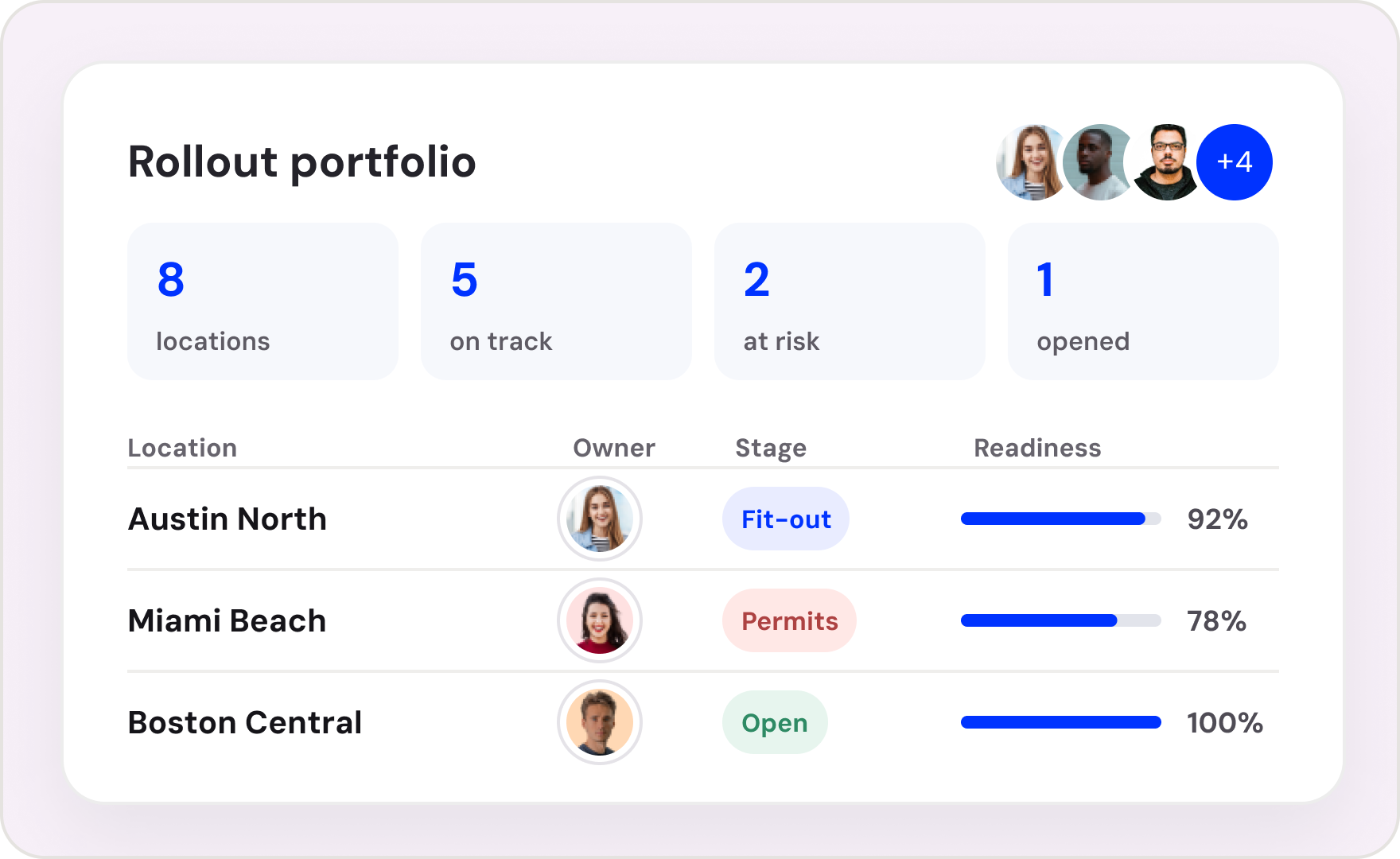
You get a complete, timestamped audit trail across your portfolio dashboard and total confidence that every closed unit is 100% wrapped up.
Take a store from site selection to opening day.
Keep multiple locations moving through a consistent plan.
Turn a short-term space into a ready-to-trade store.
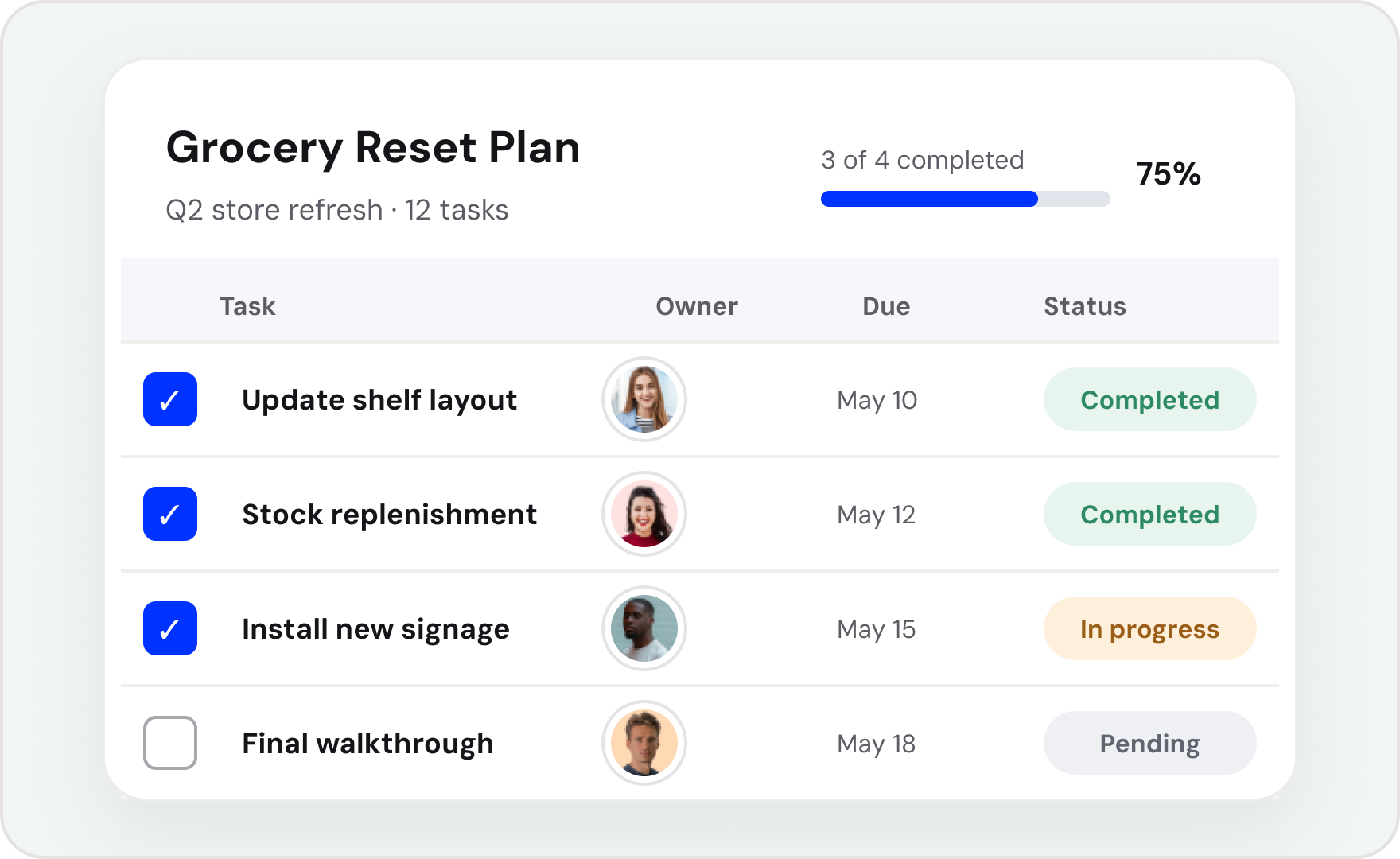
Coordinate the reset across store layout, inventory, signage and final walkthrough.
Yes. Use the starter stages as a starting point, then review the tasks, assign owners, and configure dates and approvals for your process.
Reuse your configured workflow for each project and track progress from the portfolio dashboard.
Yes. Participants can respond to assigned tasks and approvals through task links without signing up or logging in.
Nodomo’s AI-assisted builder can use a spreadsheet to create a draft workflow. Review and refine the tasks and dependencies before starting your project.
Know which projects are on track, where work is stuck, and who needs to move next. Bring every project update into one connected view.
Start your 15-day free trial